
A barcode on everything, so every step can be scanned.
Every check in Pulsa is a scan: picking, packing, receiving and counting. These tools make sure every product, box and bin has a barcode to scan.
A product without a barcode is a product typed by hand.
Every item without an EAN has to be confirmed by hand at every pick and every pack. Cases are counted unit by unit, and the same product arrives from two shops as two different products.
How it works in Pulsa
Fill in the missing codes
Every missing code means a line confirmed by hand. The EAN list shows the products without a barcode. Scan the item and save, one after the other, and from then on it is scanned like the rest.
One scan for a whole box
No more counting a case unit by unit. Give a case or multipack its own barcode. One scan of the box counts all the units in it, when picking, packing and receiving.
Print product and bin labels
Goods that arrive without a code get a product label, and every bin gets a QR or barcode label, so both can be scanned instead of read and typed.
One product, every channel
The same product from two shops no longer counts as two. Link or merge records that are the same product coming from different shops, so they share one stock figure.
Packs made of other products
No separate stock to keep up by hand for a pack: a pack is a product made up of other products, so its stock follows the products inside it.
Everything barcodes and labels do, scan by scan.
What the barcode pages of Pulsa really offer, from finding a product by its code to printing a label for one that has none: fewer items typed by hand, and fewer mix-ups on the floor.
Find any product by its barcode
An item found on a table, or a code nobody recognises, usually means asking around. Scan it and Pulsa shows what it is and where it belongs.
- Scan and seeScan or type a barcode: the product appears with its picture, rack and bin, so nobody has to guess what it is.
- Made for the scannerThe scanner types straight into the field; the search starts on its own when it stops, with no button to press.
- Where it livesThe rack and the bin are the biggest things on the screen, so the item goes straight back to its place.
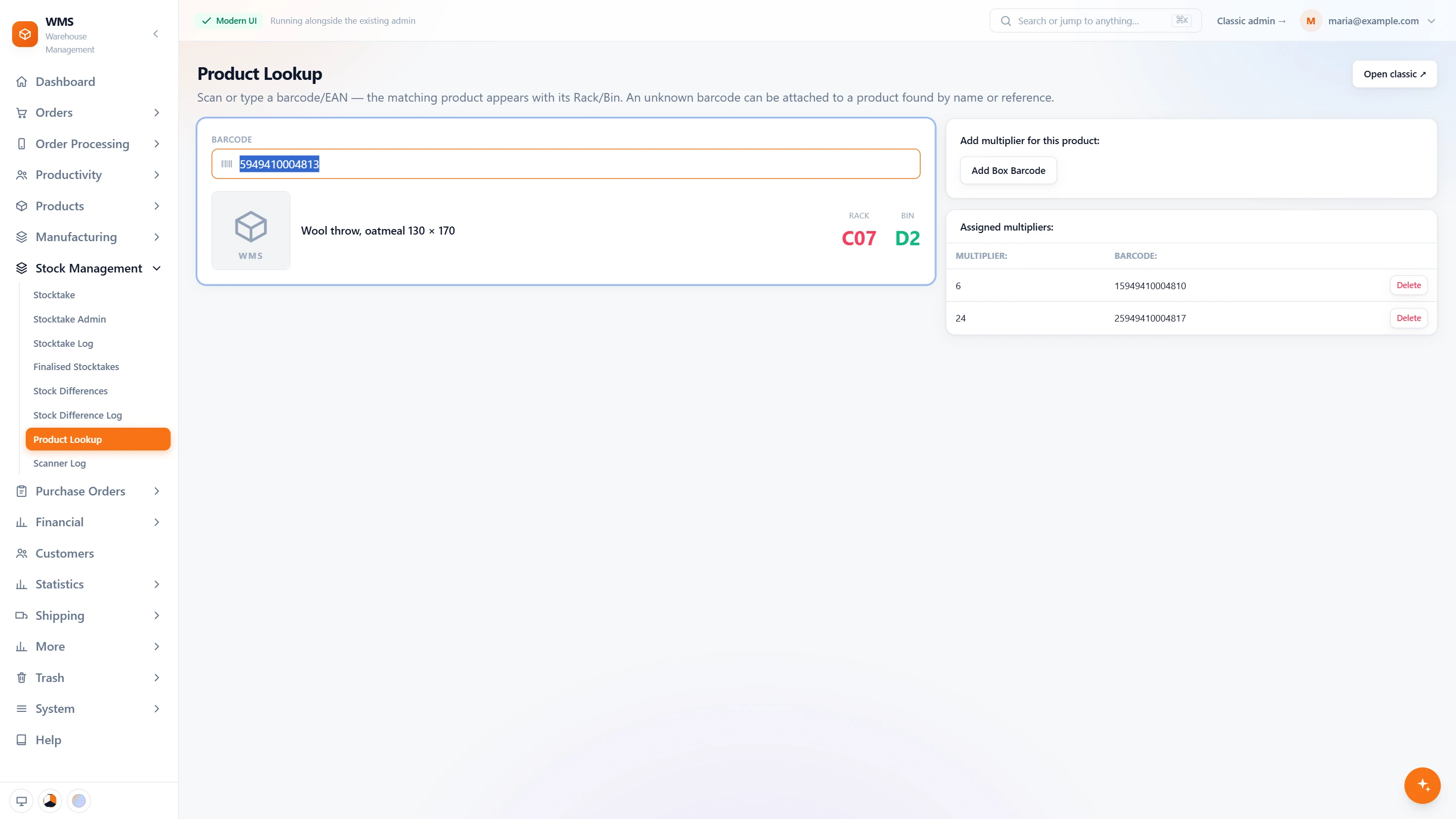
- Its box barcodes tooThe box barcodes the product already has are listed beside it, so they can be checked in the same scan.
One scan for a whole box
Counting a case of 24 unit by unit is slow and easy to get wrong. A box barcode lets one scan count the whole box.
- Box barcodesGive a case or multipack its own barcode, with how many units are in it, set once.
- Recognised as a boxScan the box barcode and Pulsa shows it as a box of that many units of the product, so nobody confuses it with a single unit.
- As many as you needA product can have several box barcodes, such as a box of 6 and a carton of 24, so every packaging size is covered.
- Counted in one goOne scan of the box counts all the units in it, when picking, packing and receiving, instead of one scan per unit.
A barcode nobody has
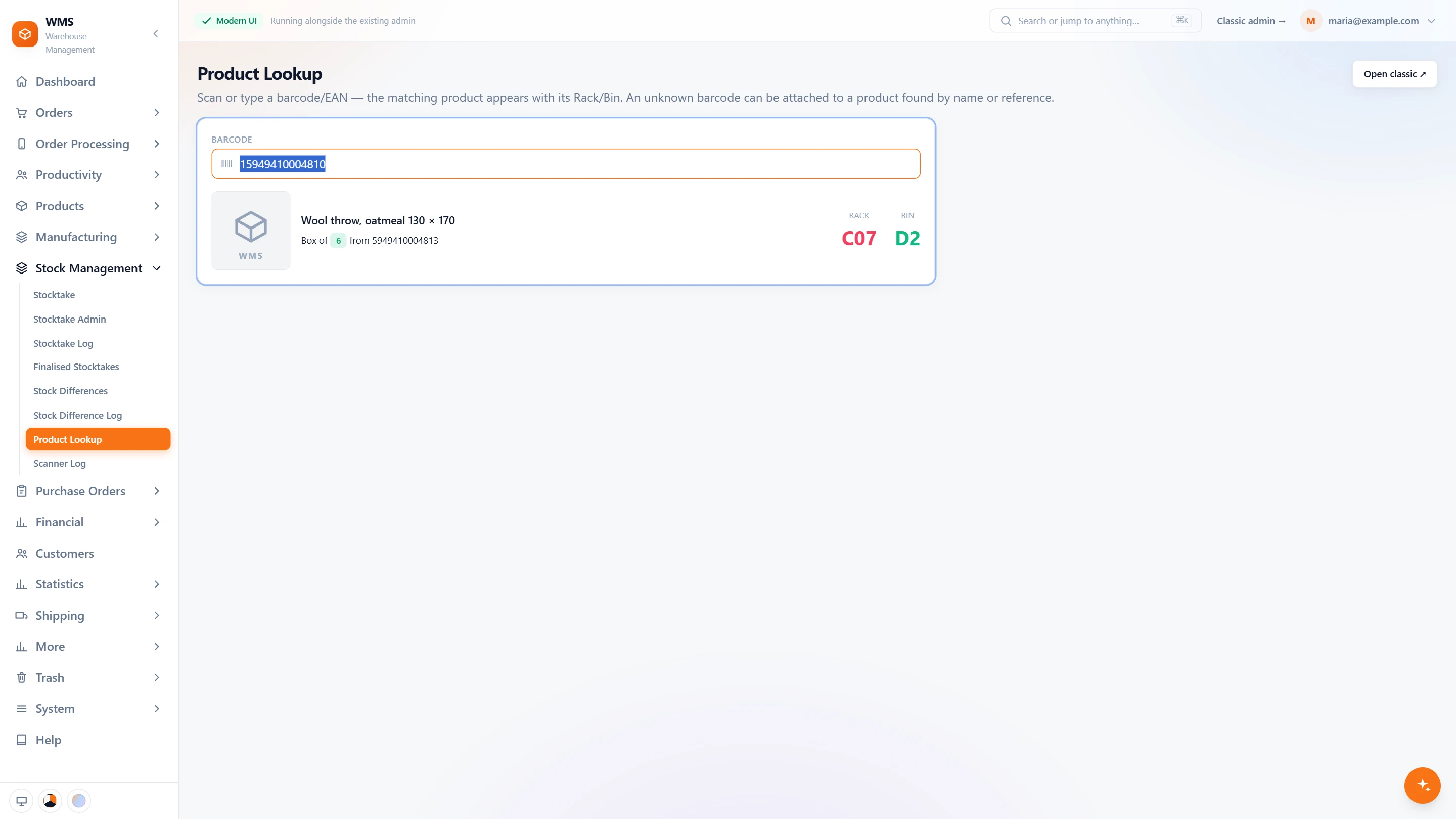
An unknown code stops the work: the item cannot be scanned until someone sorts it out. Pulsa lets whoever holds it attach the code to the right product on the spot.
- Unknown codes are caughtWhen no product carries the scanned barcode, Pulsa says so, instead of picking a wrong product.
- Find the productSearch by name, reference or accounting reference, whichever you have at hand.
- Attach it there and thenChoose the product and save: the barcode is now its own, and the next scan finds it, with no ticket to the office.
Labels for products without a code
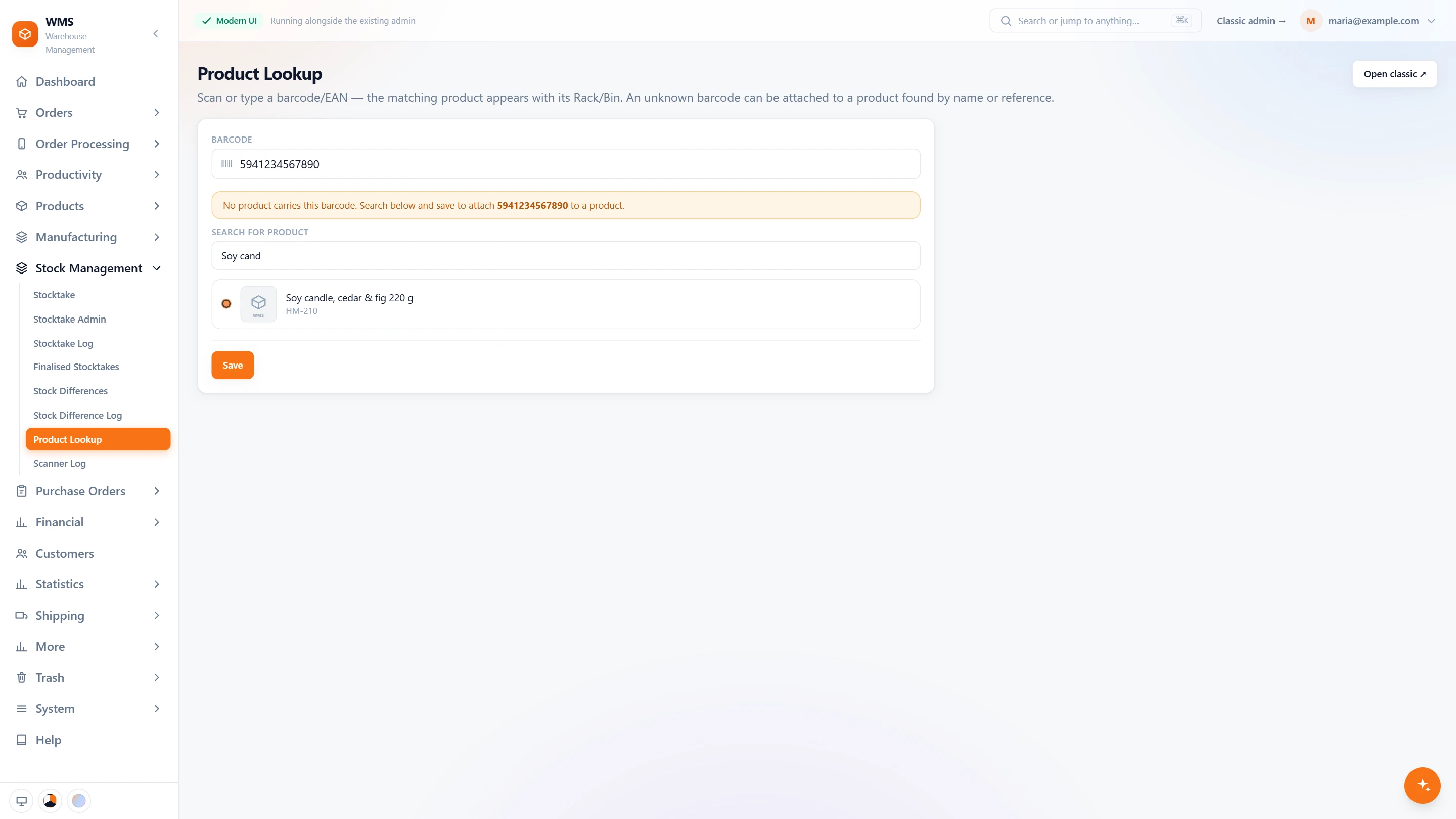
Goods without an EAN have to be typed by hand at every step. A printed label gives them a code once, so they are scanned like everything else from then on.
- Pick a productSearch by name, reference or EAN to find it quickly.
- No EAN yet? Enter oneType a code for a product that has none; it is saved to the product when the label prints, with no second place to update.
- Your own words on the labelWrite the text that prints above the barcode, with bold, italics, alignment, lists and a text size you choose, so the label says what your team needs.
- Product name or your ownPrint the product's name, or a custom name when a shorter one reads better.
- Saved for next timeSave the label text as the product's template, so the next label is not written again.
- Preview before printingSee the exact label before it prints, at the label size set for your printer, so no labels are wasted.
Barcodes everywhere else
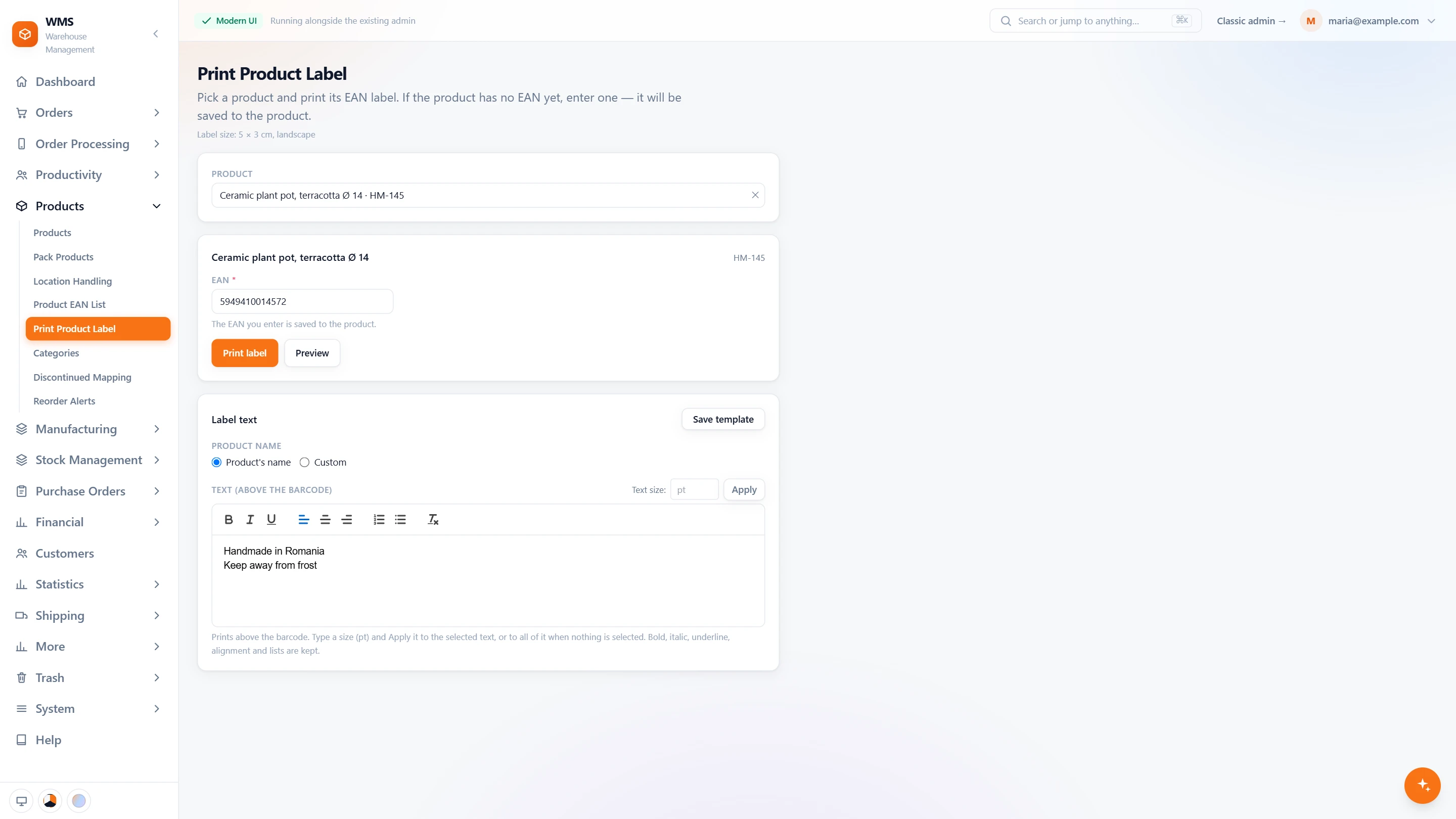
Codes matter beyond the lookup screen: on shelves, at the door and across your shops. These functions close the remaining gaps, so the same product is recognised wherever it turns up.
- The EAN listThe products without a barcode in one list, so you know what to fix. Scan the item and save, one after the other.
- Bin labelsQR or barcode labels for a whole rack or a single bin, from Location Management, so every shelf can be scanned.
- Labels when goods arriveReceiving prints the same product label for goods that arrive without a code, so they are labelled before they reach the shelf.
- One product, every channelLink or merge records that are the same product coming from different shops, so they share one stock figure.
- Packs made of other productsA pack is a product made up of other products, so its stock follows the products inside it, with nothing to update by hand.
What you gain
Faster floor work
No more confirming lines by hand because a code is missing.
Fewer mistakes
Every scan is checked against what should be there, so a wrong item is caught before it ships.
One stock figure per product
Linked products stop the same item being sold twice through two channels.
Questions
Do we need special barcodes?
No, so there is nothing to relabel. The products' own EAN codes are used; for products without one, Pulsa prints a label.
What does a scanner do with an unknown code?
It does not leave the item stuck: Product lookup lets whoever holds the item attach the code to the right product there and then.
Can a pack and its products both be ordered by mistake?
No. Purchasing can ignore packs whose main product is ordered on its own, so you do not buy the same goods twice.
Guides
Related features
All featuresSee it with your own orders.
In the demo we connect your channels and walk you through this part of Pulsa on the real screens.