
Make your own products? Plan and track them here too.
Recipes, the parts they use, and production orders that turn parts into finished stock, with batches and expiry dates, in the same system as your orders.
Production planned in one place, stock kept in another.
Recipes live in a spreadsheet, parts run out in the middle of a run and the line stops, and when a batch has to be recalled nobody can say quickly which orders it went to.
How it works in Pulsa
Write the recipe
No more recipes scattered in spreadsheets. A blueprint says what a finished product is made of and how many units one run yields. Recipes are versioned, so a change never rewrites what was made before. Clone a recipe to start a new one without retyping it.
Keep the parts
Parts are no longer guessed from a shelf glance. Raw materials, components, packaging, consumables and hardware each have their own stock and location, categories and suppliers.
Run production orders
No more asking around where a job is. A board shows every order by stage: draft, parts reserved, in production, produced, and stocked. The counters show what is being made and which parts need buying.
Batches and expiry dates
Expired goods are found before a customer finds them. Finished stock is tracked by batch, with production and expiry dates, status and quality, and a filter finds the batches that expire within 30 days.
Know what to buy
Instead of counting parts by hand before ordering, the part demand report combines your sales with the recipes and says how many parts you will need. The part usage report shows what was really used.
Everything manufacturing does, from the recipe to the finished stock.
For a business that makes what it sells, without spreadsheets beside the stock: what can be made now, every order through its stages, and the real cost of each batch.
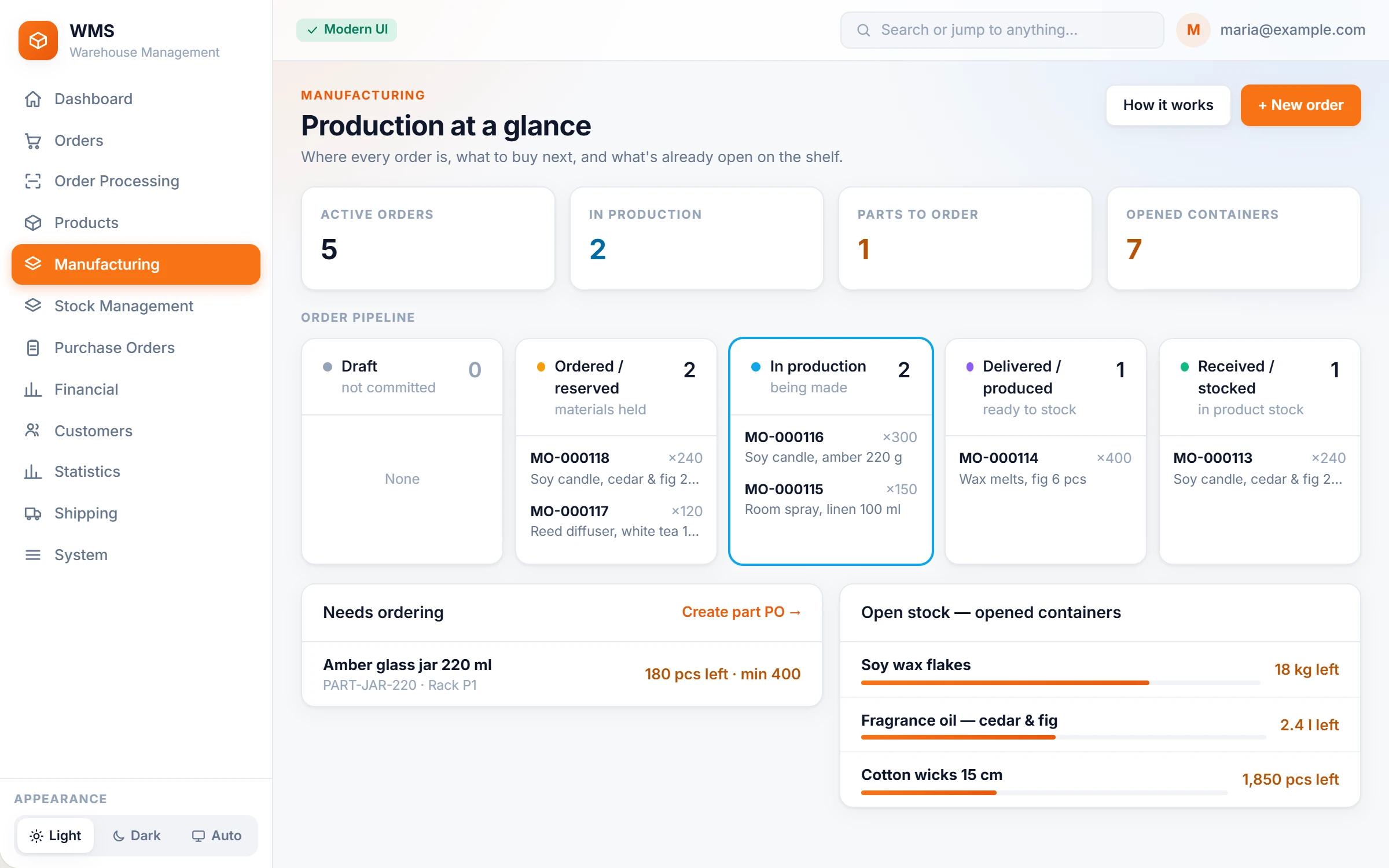
Production at a glance
Knowing what is in production and what is about to run out usually takes a walk round and a few questions. One overview answers it the moment you open it.
- Four numbers firstThe state of production in one look: active orders, orders in production, parts to order and opened bottles.
- Every order by stageNo lost jobs: draft, ordered and reserved, in production, delivered, received into stock, with the orders in each.
- What to buy nextA part is reordered before the line stops: parts below their reorder point, with what is in stock and what is needed, one click from a part purchase order.
- Opened bottles firstLess waste: part-used batches show what is left in them, and production draws the oldest open one first, so leftovers are used up.
- A guide built inNo manual to search: How it works explains each idea of manufacturing in plain words, right in the WMS.
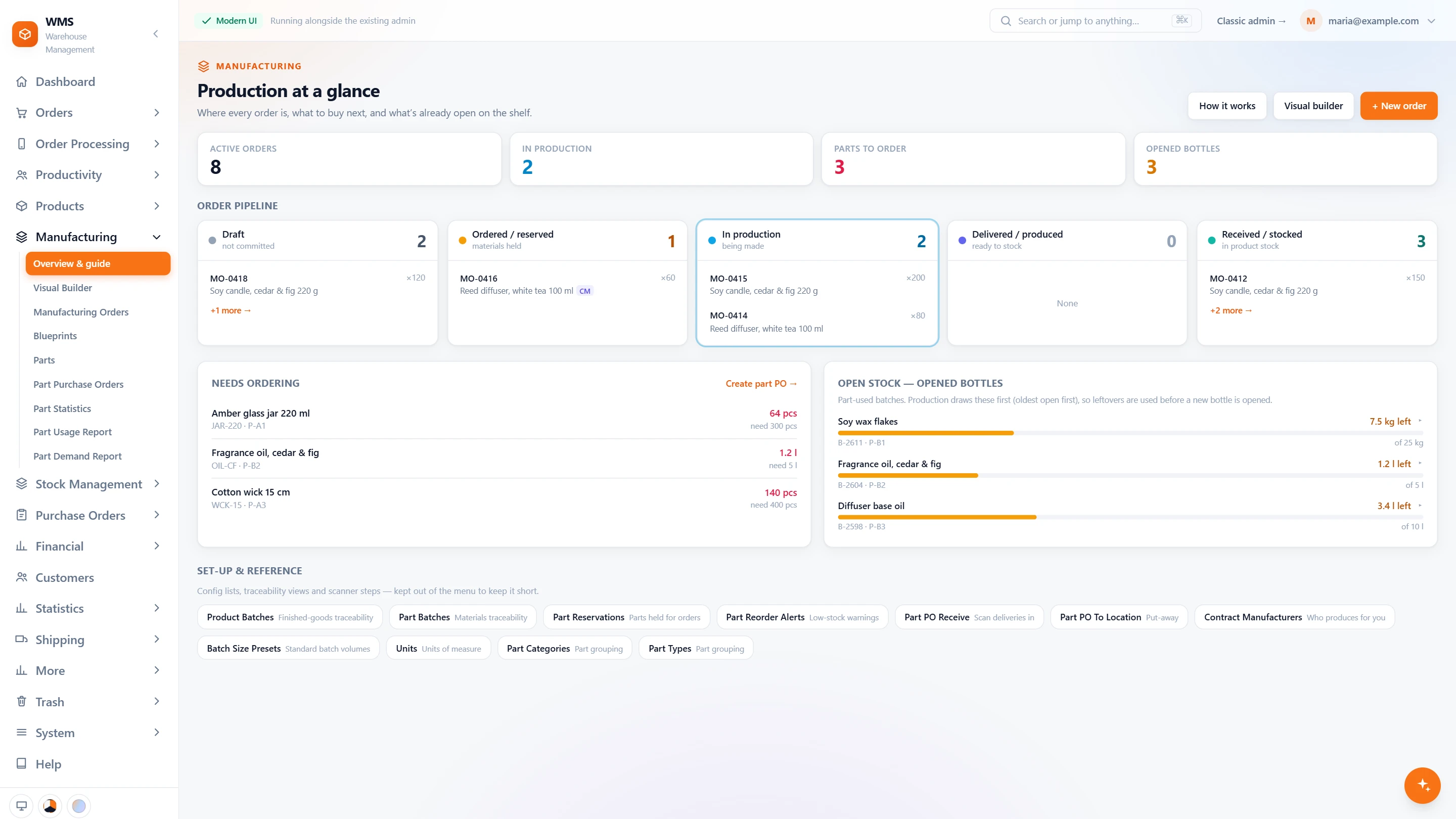
What can I make right now?
Working out what the parts on the shelf are enough for usually means a calculator and a recipe sheet. Here you pick a material and the answer is on screen.
- Pick a materialChoose one or more materials and see every product that uses them, without opening each recipe.
- How many unitsNo arithmetic: each product shows how many units the stock on the shelf is enough for.
- What is missingNo run started and then stopped: a product that cannot be made is marked, with the part it needs.
- Straight to an orderFrom the answer to the work in one step: start a manufacturing order from the product you choose.
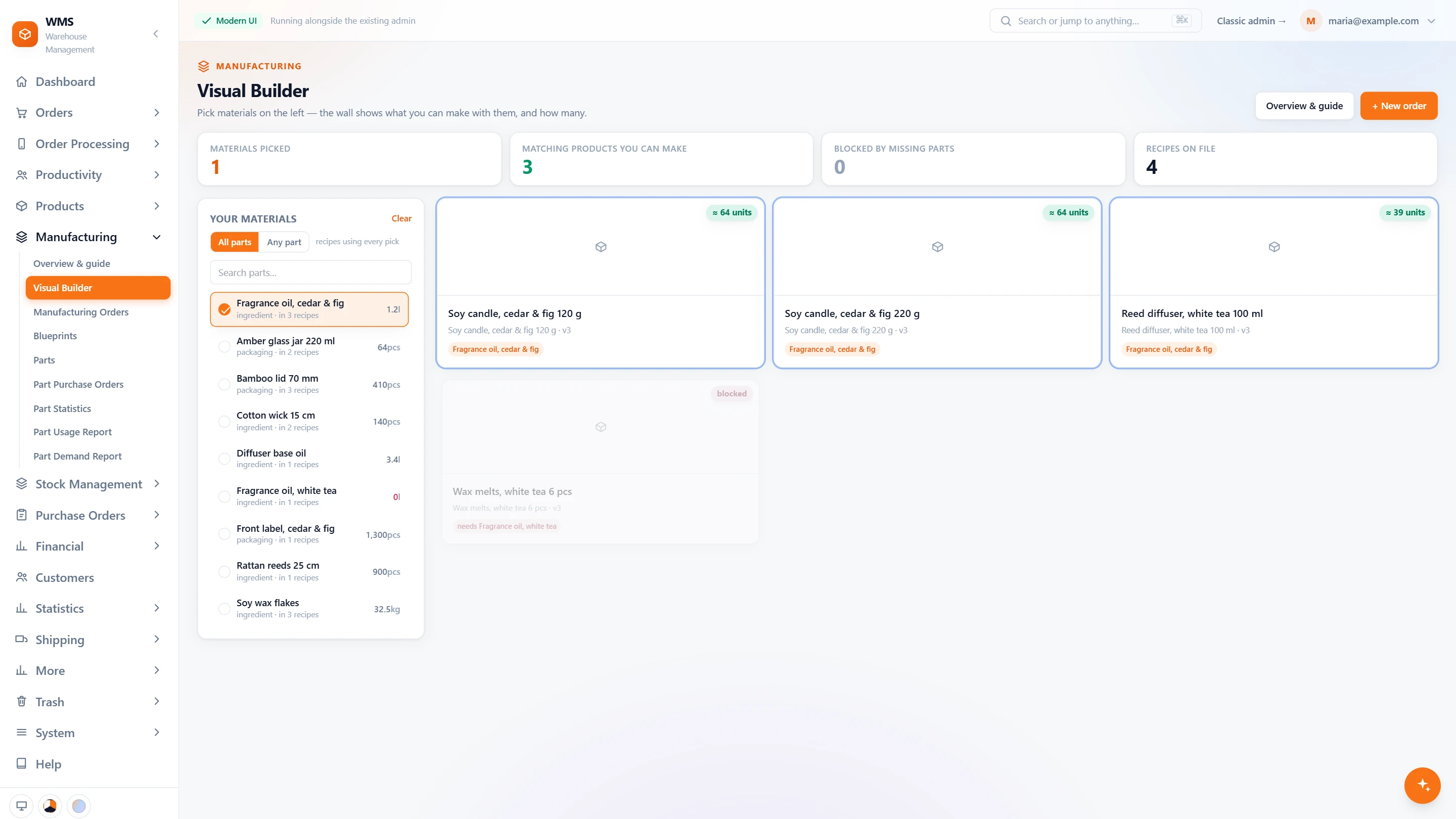
One manufacturing order
A production job is easy to lose track of, and its real cost is often a guess. Each order shows its stage, its parts by batch and what it really cost.
- Six stepsDraft, materials reserved, in production, produced, stocked, done: the page says where the order is, so nobody has to ask.
- The next step as a buttonNo wondering what comes next: mark produced, add the finished goods to stock, reorder the same again, or cancel.
- Parts by batchA recall question has an answer: every part reserved or consumed, from which batch, and what is left in that batch.
- The real costPrices set on facts, not estimates: material cost from the batches used, plus labour, gives the cost of the order and of each unit.
- Estimated before it startsNo surprises after the run: a draft order shows what it will cost, worked out from the recipe.
- In-house or contractMake it yourself, or have a contract manufacturer make it for you, and follow both the same way.
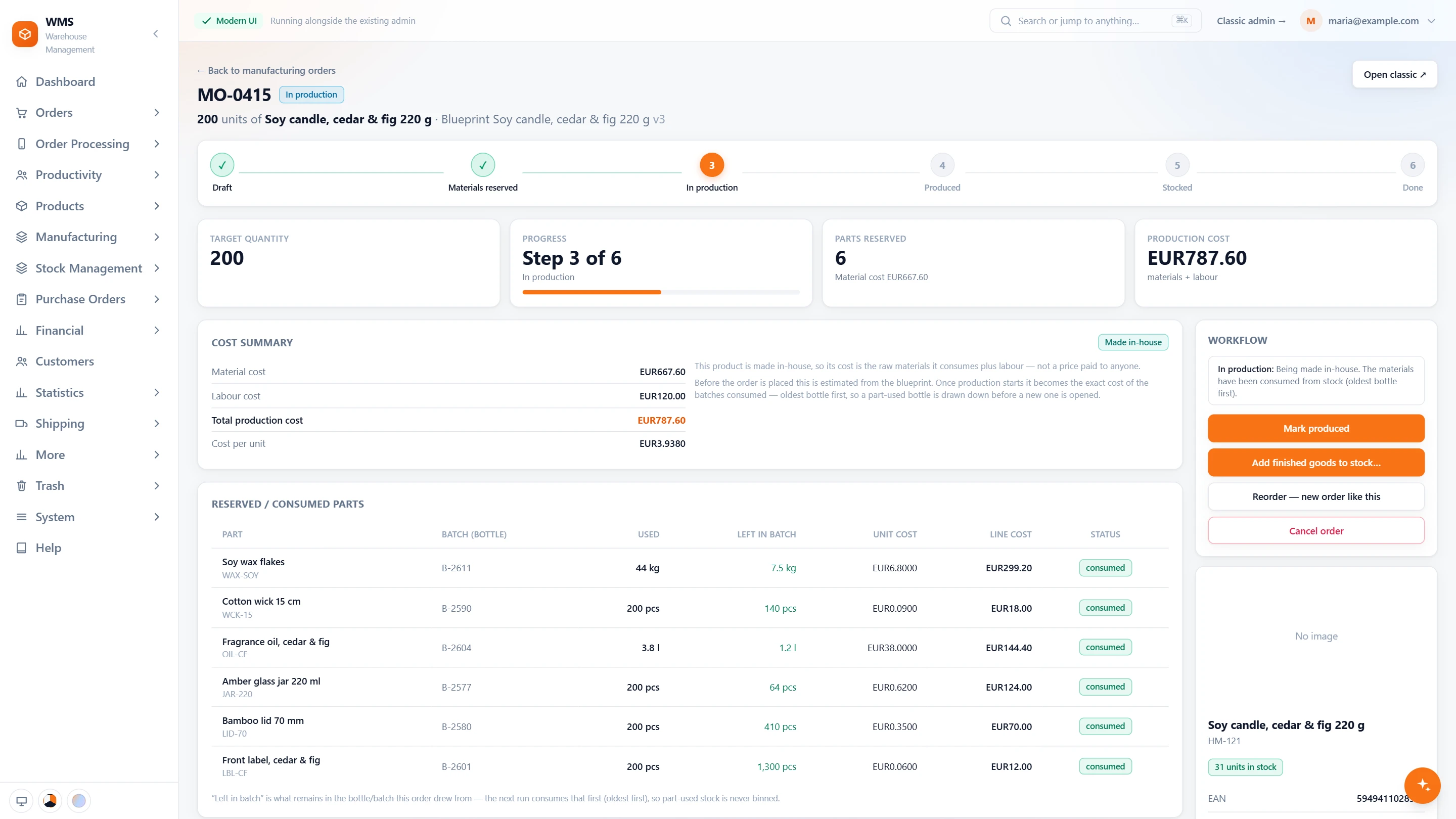
Recipes, parts and records
Recipes, part stock and batch records kept in different files never agree. Here they live together, so stock, buying and tracing all work from the same facts.
- Recipes with versionsA recipe (blueprint) lists the parts of a product and keeps its versions, so an old recipe is never lost.
- Parts in stockParts have their own stock, units of measure, categories and storage places, so they are found and counted like goods.
- Buying partsNo separate process to learn: part purchase orders are received by scanning and put away like goods.
- Batches you can traceBatches of parts and of finished products, so every unit can be traced back when a question or a recall comes.
- Reports for partsBuy on figures, not feel: part statistics, how much of each part is used, and how much will be needed.
- Reorder alertsNo more finding an empty box mid-run: a warning when a part falls below its reorder point.
What you gain
No run stopped for a missing part
Parts to order are counted on the board, and parts are bought with their own purchase orders, before they run out.
Ready for a recall
No searching through paper: batches with dates say what was made when, and what is about to expire.
One stock for made and bought goods
Nothing to copy across: what you produce goes into the same stock your shops sell from.
Connected to the shops, marketplaces and couriers you already use.
Questions
We do not manufacture. Do we see all this?
No, so your screens stay simple. Manufacturing is switched on only for warehouses that make their own products.
Can a contract manufacturer make our products?
Yes. Contract manufacturers are kept in Pulsa alongside your own production, so all production is followed in one place.
Can we see whether we can make a given quantity?
Yes, without counting shelves. The part demand report and the parts stock answer it; the AI assistant can also tell you what you would need to buy.
Can we change a recipe without losing the old one?
Yes. Recipes are versioned and old ones are archived, not deleted, so you can always see how an earlier batch was made.
Related features
All featuresSee it with your own orders.
In the demo we connect your channels and walk you through this part of Pulsa on the real screens.