
Profit you can trust, per product and per order.
Pulsa knows what you paid for each unit and what it sold for. The profit page shows the margin on every product and every order, with shipping, payment and packing taken off.
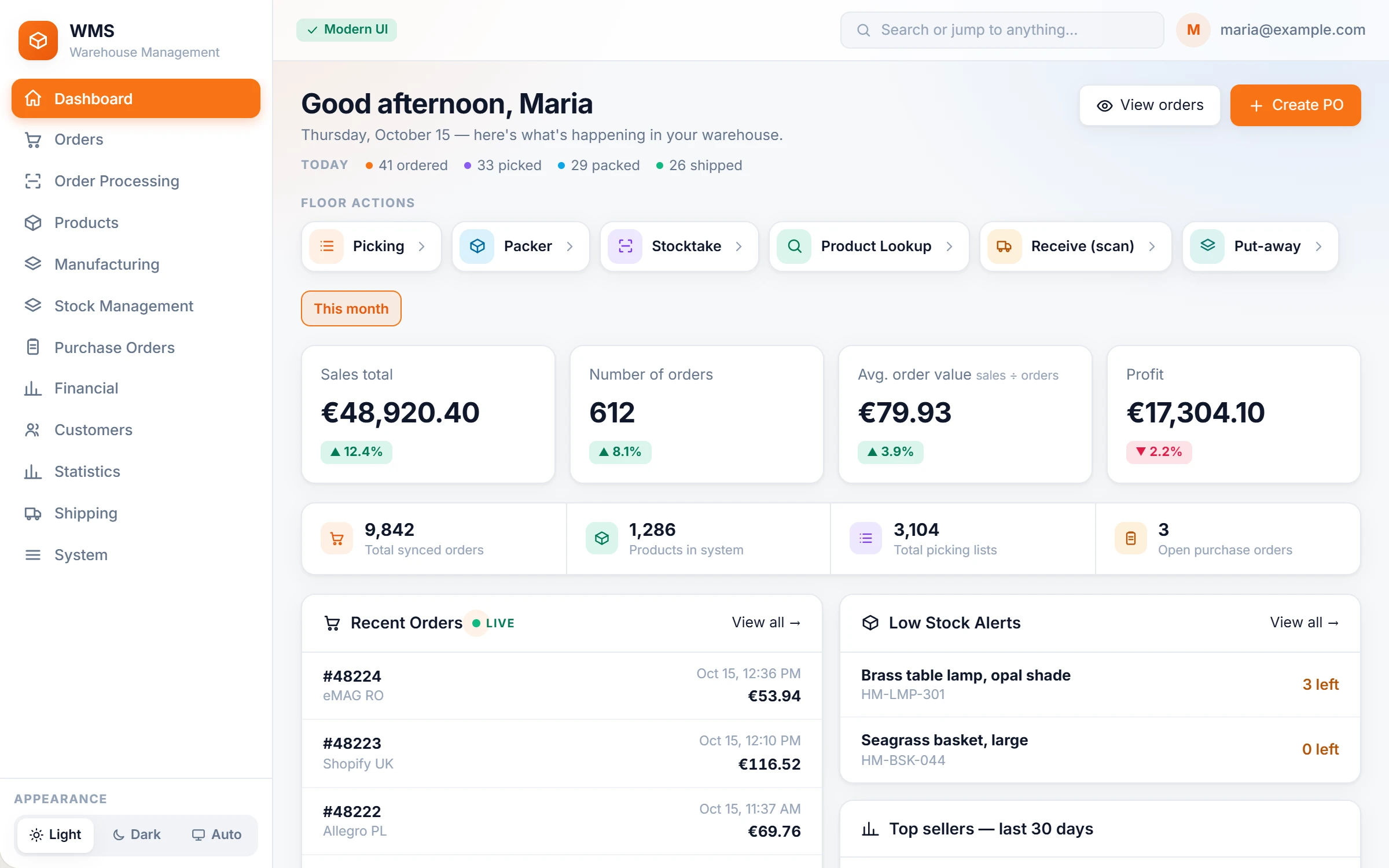
Turnover is easy to see. Profit is a guess.
The shop tells you what was sold, not what it earned. Purchase prices change from one delivery to the next, shipping and payment fees quietly eat the margin, and by the time you work it out in a spreadsheet the month is over.
How it works in Pulsa
The price you really paid
A catalogue price hides what each delivery really cost. Purchase cost is kept first in, first out, from the deliveries you received, so each sale is counted against the price you really paid for that unit.
Profit per product, at a glance
No more adding up sales and costs by hand. Search any product and see its profit for a period, its monthly trend, and the top and bottom products.
Profit per order, after every fee
An order can look good and still lose money once it is shipped and paid for. Every order shows its margin after shipping, payment and packing costs.
Ask in plain words
No report to build. The AI assistant answers profit by product, customer or month, and names the customers you lose money on, with the same figures as the profit page.
Everything the profit page shows, product by product.
Turnover alone hides where the money is made and lost. The profit page of Pulsa shows which products make the money, which are losing it, and what needs a decision, without a spreadsheet.
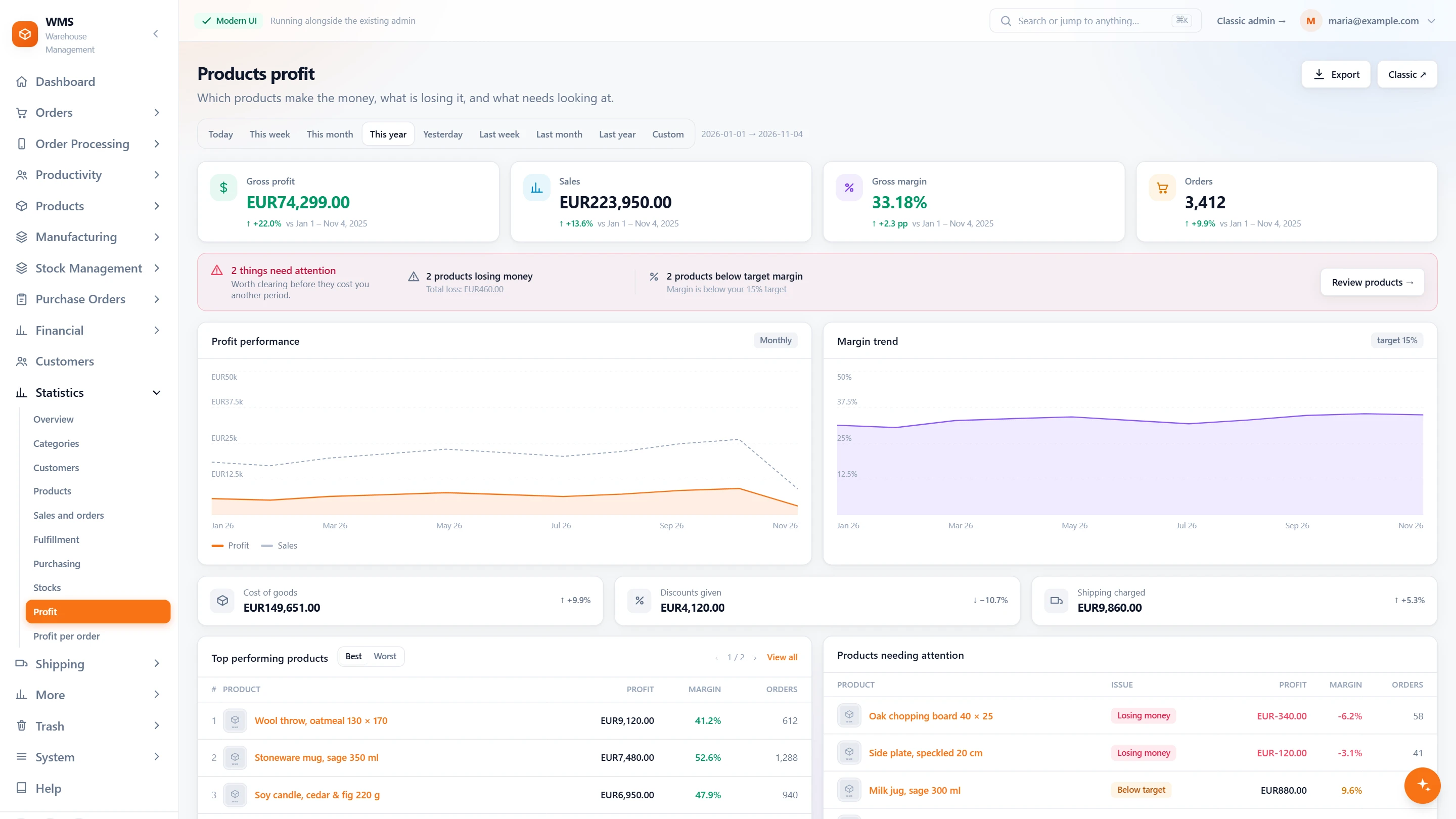
The period in four numbers
Working out how a month or a year went usually means exports and formulas. Here the period's profit, sales, margin and orders are on one screen, next to the period before, with what needs attention first.
- Profit, sales, margin, ordersGross profit, sales, gross margin and orders for the period you choose, without adding anything up yourself.
- Better or worse than beforeEach figure next to the period before it, such as this year so far against the same days last year, so you see at once whether things improved; a margin moves in percentage points, never in percent.
- Any periodToday, this week, this month, this year, the ones before them, or your own dates: one click instead of a new report.
- What needs attention firstProducts losing money and products under your target margin, counted, with the total loss, so you know where to start.
- Month by monthProfit against sales, and the margin against your target, over the period, so a slow slide shows before it hurts.
- Where the money goesCost of goods, discounts given and shipping charged, each with its change, so you see what is eating the margin.
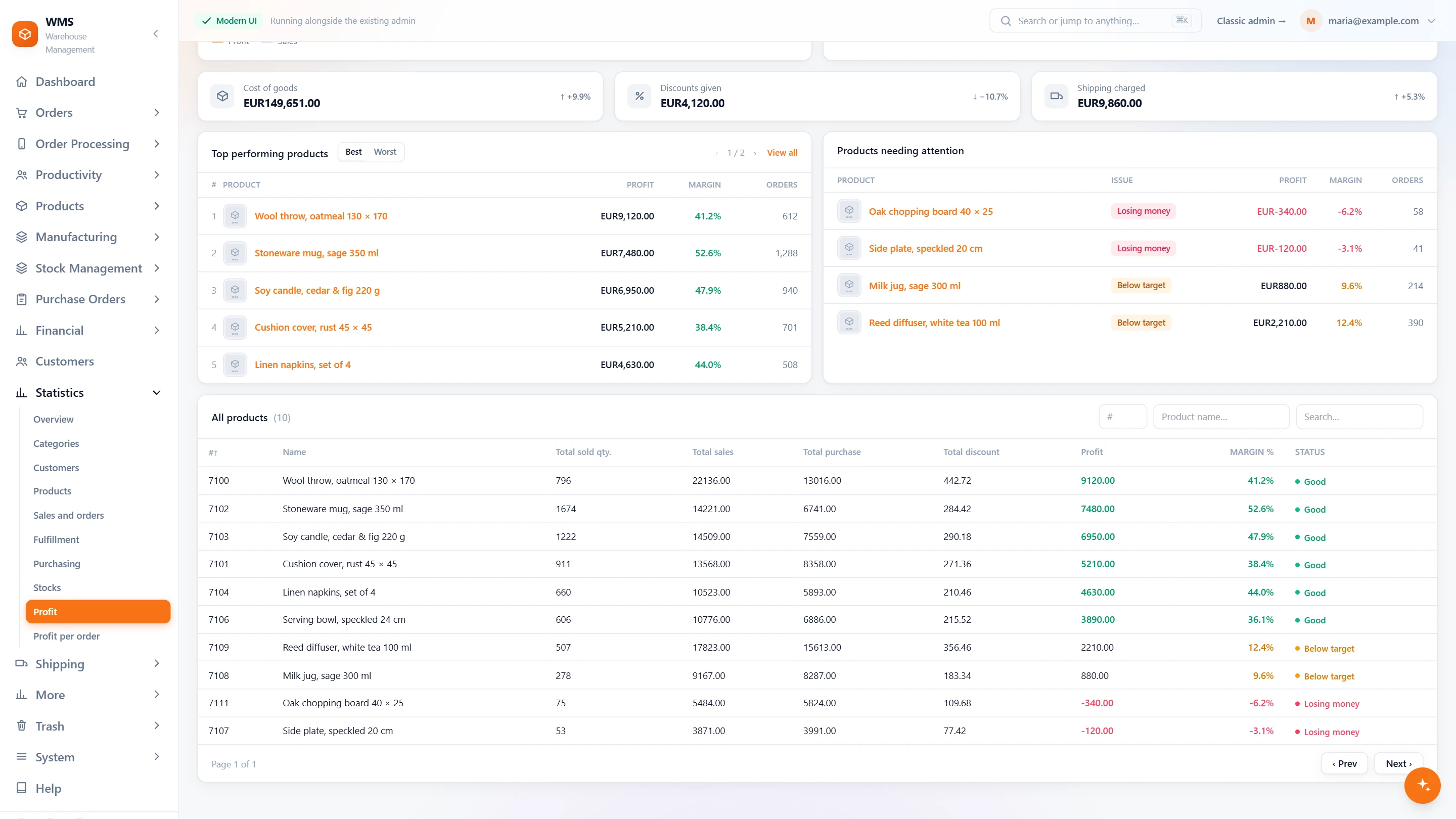
Which products earn, which do not
In a long catalogue the products that lose money are easy to miss. This list puts the best and the worst in front of you, judged against the margin you call acceptable.
- Best and worstThe most profitable products, or flip the list to see the least profitable, without sorting a spreadsheet.
- Problem products flaggedEach one marked: losing money, or below your target margin, so nothing slips through.
- Your own targetSet the margin your business calls acceptable; the page judges every product against it for you.
- Every product in one tableQuantity sold, sales, purchase cost, discount, profit, margin and a status, searchable, so one product's story takes seconds to find.
- From real costsProfit is worked out from what each unit really cost when it was bought, not from a price that changed since.
- ExportDownload the products and their figures for the period, ready for the accountant or a meeting.
Figures you can trust
Profit figures are only useful if nothing quietly distorts them. Your own accounts, giveaways and missing costs are kept apart and shown, so the numbers do not flatter or frighten you by mistake.
- Your own accounts kept apartMark the accounts that are your own, such as a shop counter you supply, so their orders do not read as losses.
- Given away, said out loudOrders that took stock out and brought no money in are counted separately, instead of dragging the margin down unexplained.
- Missing costs shownLines sold without a known purchase cost are shown, not quietly counted as profit, so you know what to fill in.
- Per order tooWhen one order looks wrong, its profit is one click away, in the statistics.
What you gain
See what really earns
Products and channels that sell a lot but earn little stop hiding behind big turnover.
Prices set on facts
Set prices and discounts knowing the real cost behind them, instead of hoping the margin is still there.
No separate spreadsheet
Nothing to copy across: profit comes from the same orders and deliveries the warehouse already works with.
Connected to the shops, marketplaces and couriers you already use.


Questions
How accurate is the profit?
As accurate as the costs behind it. With your shipping and payment costs entered, profit is not overstated; we check them with you during setup.
Which purchase price is used?
The price from the deliveries you really received, first in first out, not a catalogue price that may be out of date.
Can we see profit per customer?
Yes. Ask the AI assistant; it uses the profit page's figures, so the answer matches what you see there.
Related features
All featuresSee it with your own orders.
In the demo we connect your channels and walk you through this part of Pulsa on the real screens.