
A warehouse system for your online shop.
Orders from PrestaShop, Shopify or WooCommerce arrive on their own, are picked and packed by scan, and the stock goes back to the shop by itself.
Sound familiar?
Orders copied by hand
Every morning someone exports the orders and prints the lists.
The wrong item in the parcel
Packing by eye means the customer finds the mistake.
Stock that does not match
The shop sells what is no longer on the shelf.
What Pulsa does for you
Your shop keeps selling. Your warehouse finally keeps up.
An online shop is good at taking orders, but it does not know which shelf a product sits on or who should pick it. Pulsa takes over everything that happens after the customer clicks Buy, so the work in the back is as smooth as the shop in the front.
- Orders wait in the right queueOrders from PrestaShop, Shopify or WooCommerce arrive with the customer, the addresses, the products and how they paid. Pulsa sorts them into work queues, and Paid & ready to ship is the list the warehouse works from, so nothing unpaid is packed and nothing paid waits.
- Every parcel is checked before it closesEach item is scanned when it leaves the shelf and again when it goes into the box. A product from another order is refused and a scan over the quantity is flagged, while the parcel is still open.
- The shop shows what is really on the shelfStock is reserved the moment an order arrives, and the new figure goes back to the shop with the order status. Customers stop buying what you no longer have.
- You know what to buy and what earnsPulsa proposes what to reorder from your stock and recent sales, rounded to the supplier's pack size. The profit page works from what you really paid for each unit, with shipping, payment and packing costs taken off.
From last night's orders to this evening's figures.
Orders came in while you slept. Here is how the day goes when Pulsa runs the warehouse behind your shop.
Last night's orders are already waiting
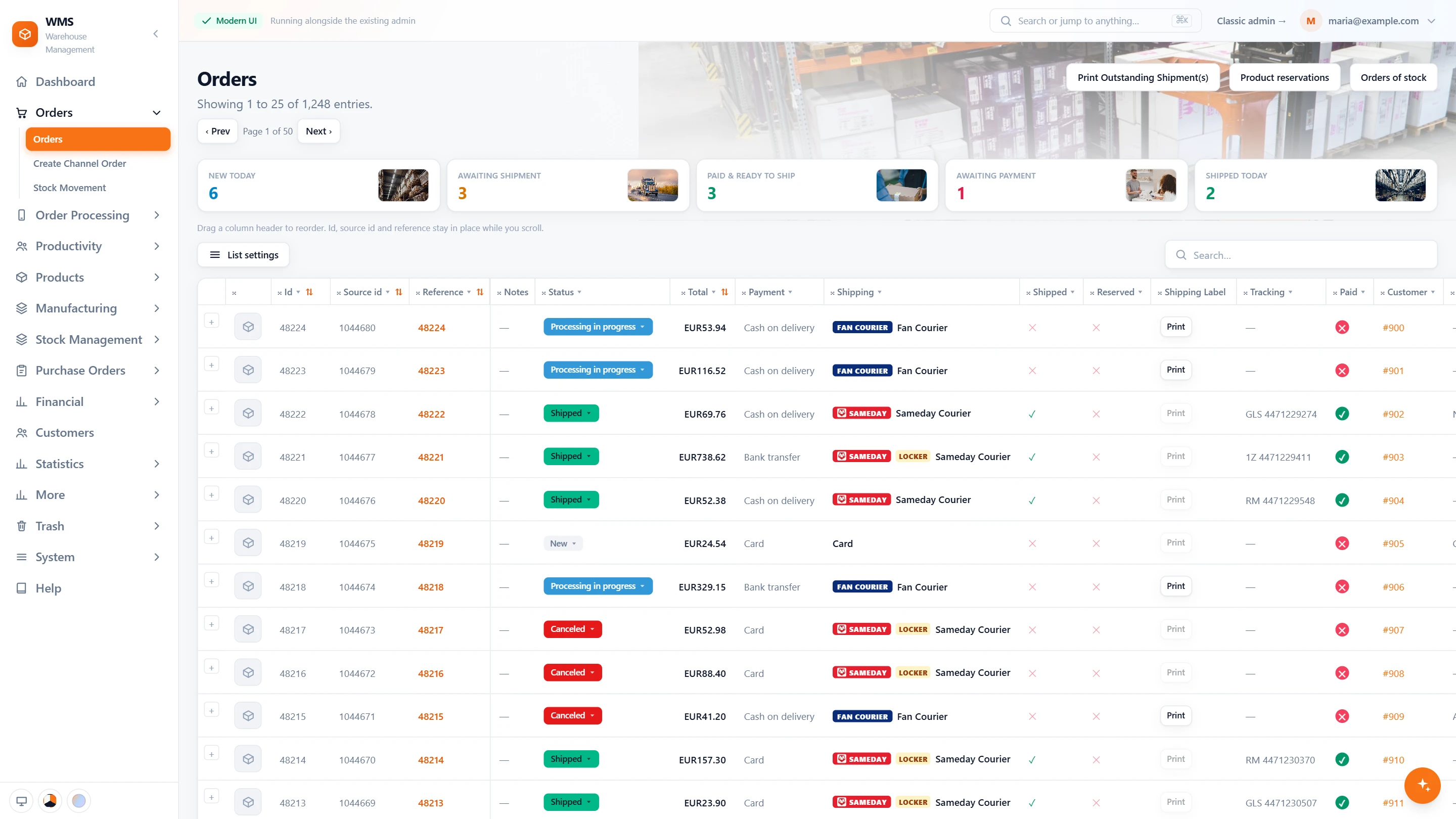
Nobody exports anything. The counters above the order list say what is new today, what is paid and ready to ship and what is still awaiting payment. One click on Paid & ready to ship and the list shows exactly those orders, and the oldest unshipped one is named with its age in days.
The morning picking list in a few clicks
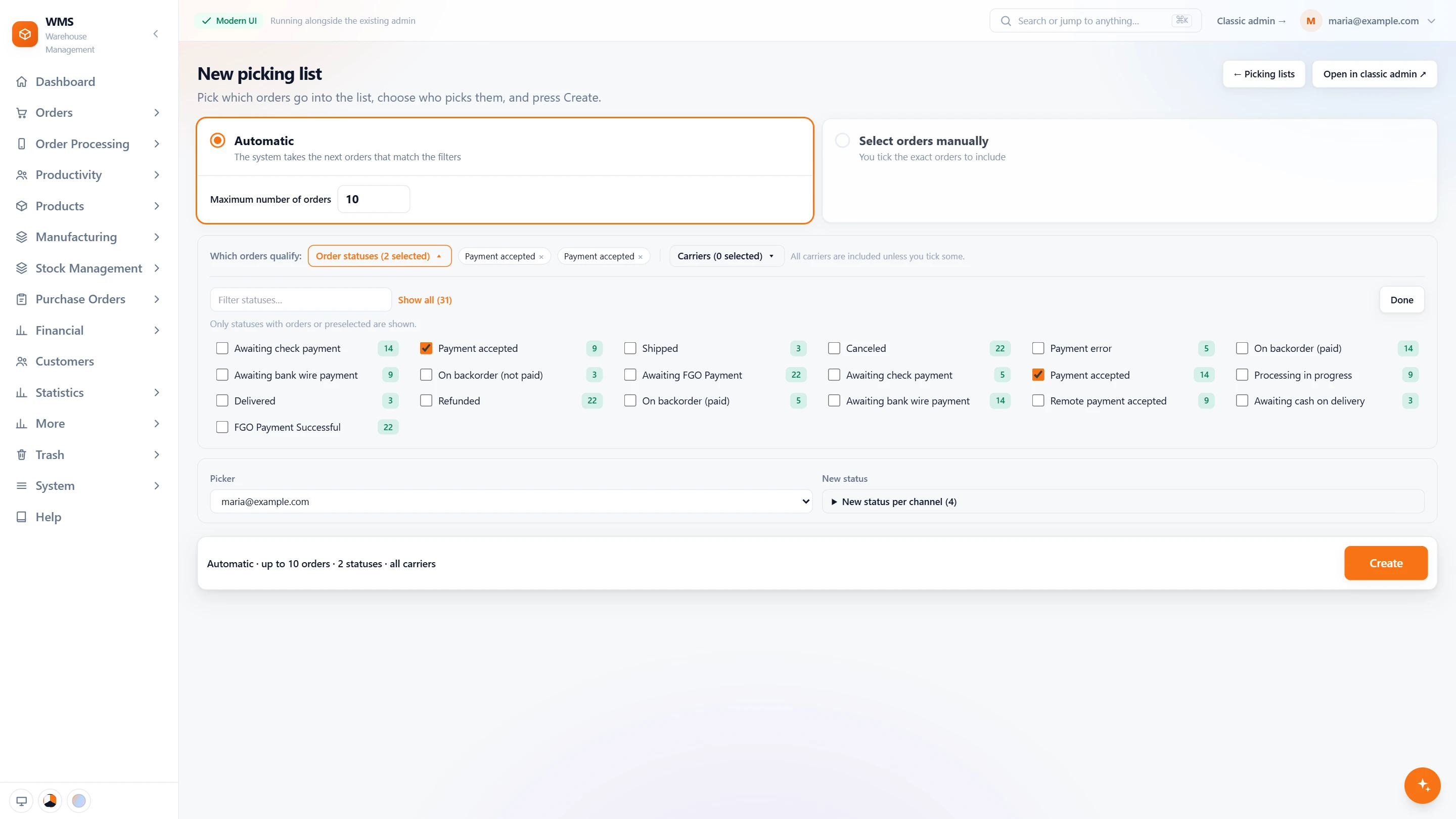
Choose Automatic, the order statuses that count as ready and how many orders the list should take, then the picker. Pulsa takes the next orders that match, and each sales channel can move its orders to its own status as the list is made.
One walk picks the whole list
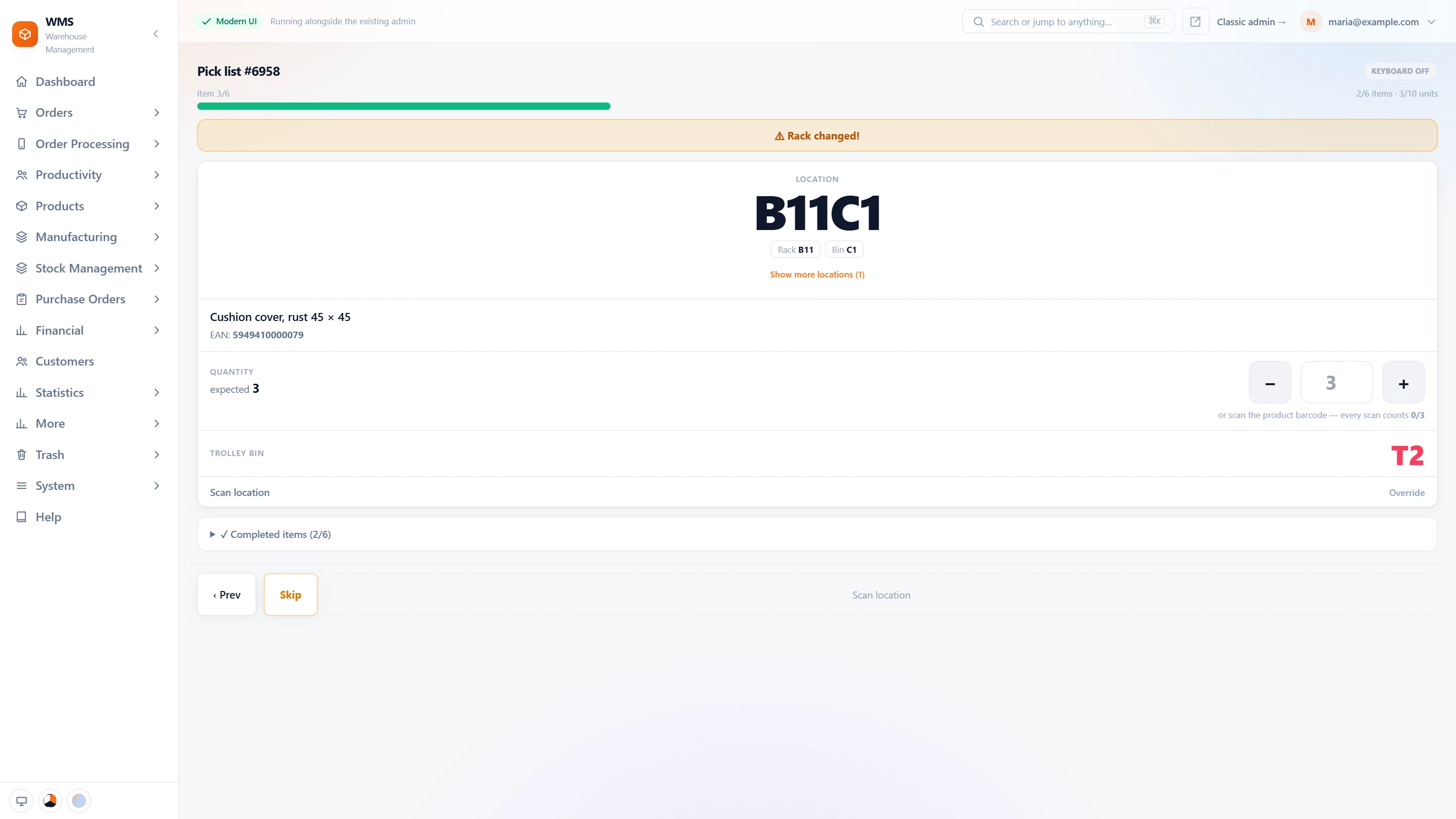
The picker follows one route sorted by rack and bin across all the orders, with the location in big letters and the trolley bin each item goes into. A banner warns when the next line is in another rack. If a product is not on the shelf, the line is skipped with a reason and waits at the end of the list.
Scan to pack, the label follows
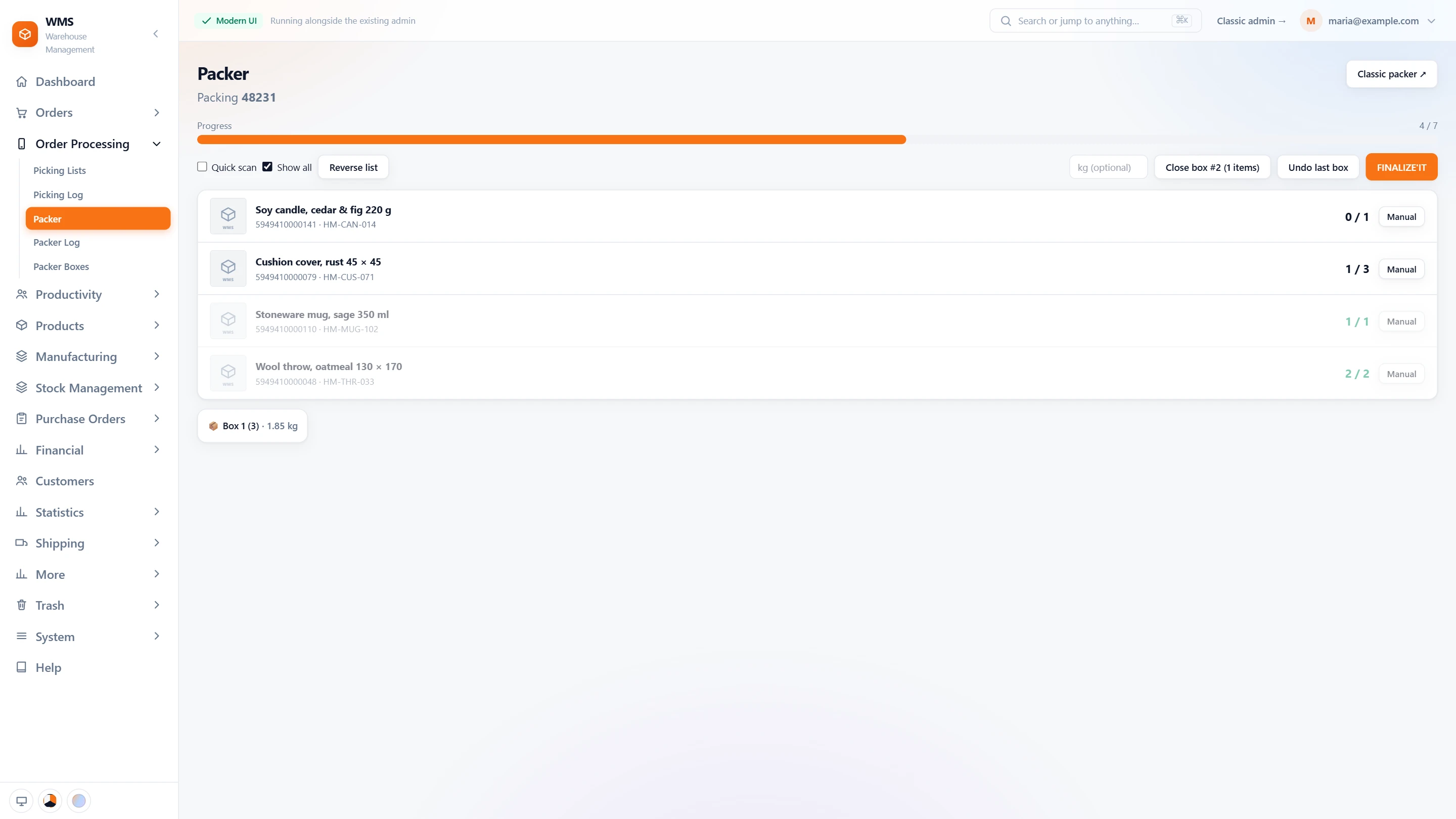
The packer scans the packing slip and the order's contents appear. Each item is scanned as it goes into the box, so a wrong size or colour is caught at the bench, not by the customer. When it is switched on, the courier label is generated as soon as packing is done.
Every label ready before the courier comes
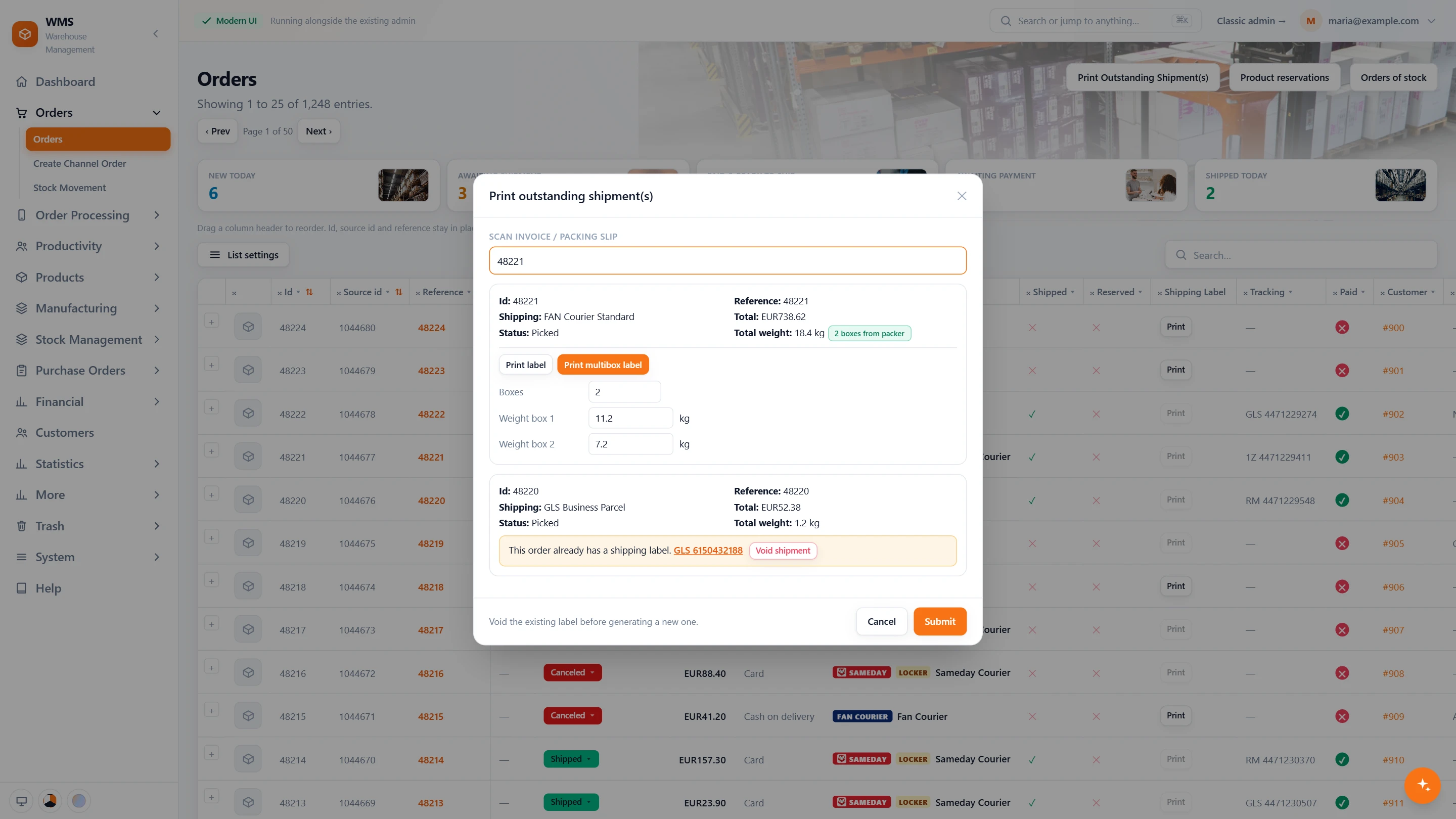
Before the afternoon pickup, someone scans the remaining invoices or packing slips and Pulsa prints the shipping labels that are still missing. A parcel in two boxes gets a weight for each box, and an order that already has a label says so instead of getting a second one.
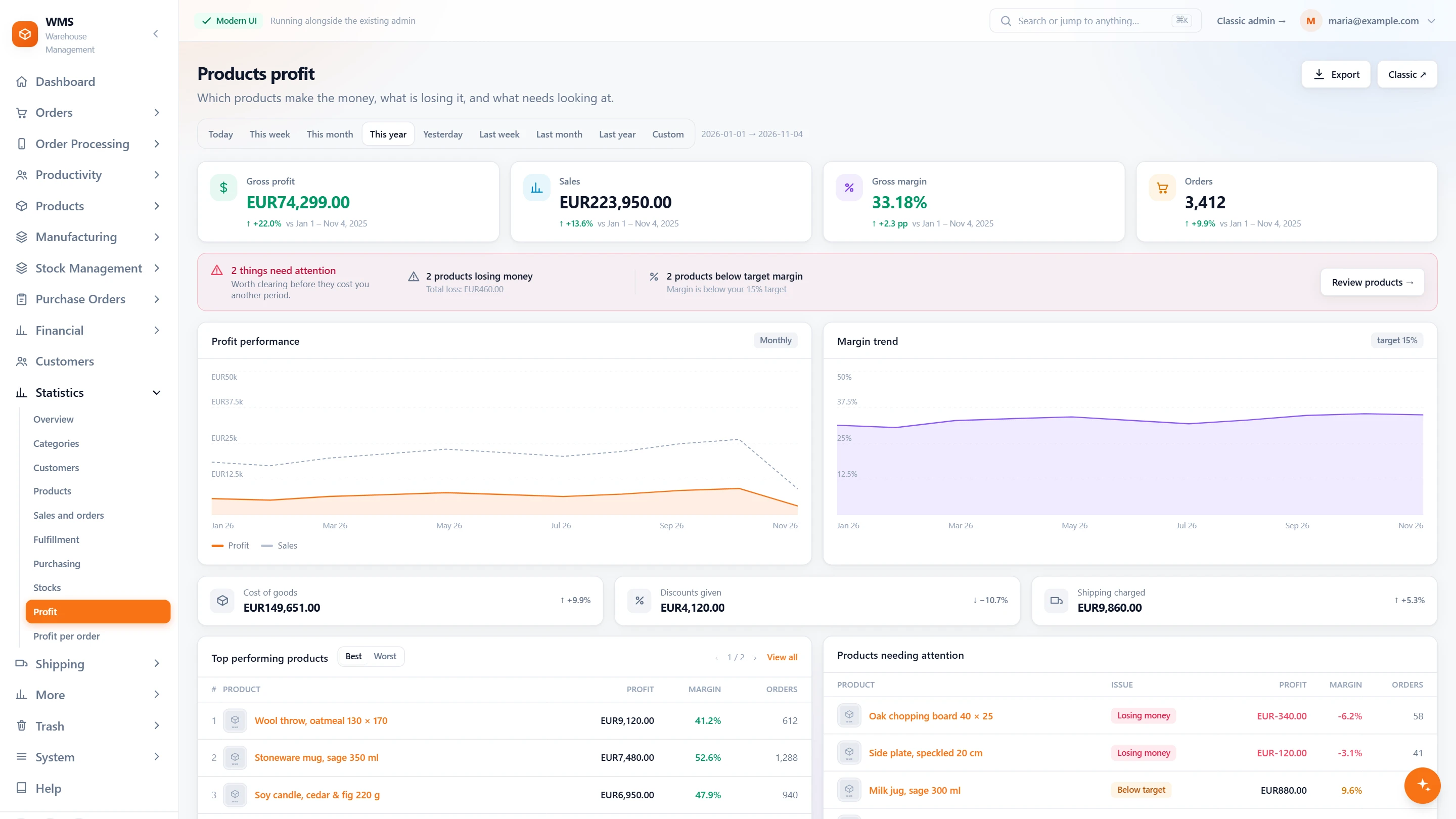
What today really earned
The profit page shows gross profit, sales, margin and orders for today, next to the period before. Products losing money or below your target margin are counted first, so you know which prices or products need a decision tomorrow.
The same shop, a different day.
Today: Every morning someone exports the orders and prints the lists.
With Pulsa: Orders arrive on their own, already sorted into queues such as Paid & ready to ship.
Today: Pickers walk the aisles once for every order.
With Pulsa: One picking list gathers many orders into one route, sorted by rack and bin.
Today: Parcels are packed by eye, and the customer finds the mistake.
With Pulsa: Every item is scanned against the order before the box is closed.
Today: Addresses are typed into the courier's website, one parcel at a time.
With Pulsa: The label is made from the order itself, and the tracking code stays on the order.
Today: Stock in the shop is corrected by hand after every busy day.
With Pulsa: Stock is reserved when the order arrives and the new figure goes back to the shop.
Today: Reordering is a guess, and the best seller runs out again.
With Pulsa: Purchase proposals come from your sales and stock levels, rounded to the supplier's pack size.
Easier for everyone behind the shop.
Each person signs in with their own account and sees the screens their job needs.






Questions
Do we have to change how we run the shop?
No. You keep selling as before; Pulsa connects to the shop and takes over the warehouse work.
How long does it take to start?
Usually about three weeks from the first call to the first shipped order, with your shop connected and tested first.
We ship a few dozen orders a day. Is Pulsa for us?
Pulsa is built for warehouses that pick and ship every day. In the demo we look at your orders and tell you honestly whether it fits.
A customer wants to change the delivery address. What then?
Correct it on the order before the shipping label is created. If the courier already has the label, it is voided and created again from the order.
Do we keep managing products and prices in the shop?
Yes. Your catalogue, design, payments and promotions stay in the shop. Pulsa reads the products in, so nothing is typed again, and sends stock and prices back.
Which couriers can we ship with?
Sameday, FAN Courier, Cargus, DPD Romania, GLS and Postis in Romania; Royal Mail, DPD Local, DHL Parcel UK, APC Overnight and Quiver in the United Kingdom; and collection from your own warehouse. Each delivery option in your shop is mapped to a courier service once.
Our customers often pay cash on delivery or choose a locker. Does that work?
Yes. With Sameday, the cash on delivery amount goes onto the AWB straight from the order, and an order the shop marked for a Sameday locker goes on the locker service, never to the home address.
Also for
See it with your own orders.
In the demo we connect your channels and show Pulsa working with your own orders.