
Wholesale orders, picked right and invoiced by the right company.
Orders with many lines picked in one walk, packed into numbered boxes, with invoice series and separate companies when you need them.
Sound familiar?
Long orders picked from paper
A hundred lines, a pen, and a missing item found by the customer.
Boxes nobody can account for
Several boxes per order, and no record of what went into which.
Two companies on one shelf
Stock and invoices mixed between the companies you run.
What Pulsa does for you
Big orders, many boxes, no loose ends.
A wholesale order is not a parcel, it is a job: dozens of lines, several boxes, a trade customer who checks every line. Pulsa turns that job into a route, a scan per line and a record of every box, then invoices it from the right company.
- Long orders without the paperThe lines are sorted by rack and bin, so one walk covers the whole order. A box barcode counts a full case in one scan, and a line that cannot be picked is skipped with a reason instead of forgotten.
- Every box accounted forLarge orders are packed into numbered boxes, each closed with its weight, and with a packing slip of its own when you switch it on. Months later, Packer boxes still says which product went into which box.
- Phone and e-mail orders go in like the restAn order a customer gives you by phone or e-mail is created in Pulsa for one of your sales channels. From there it is picked, packed and invoiced like any order from a shop.
- The right company on every invoiceInvoice series keep their own prefix and numbering, such as one for the webshop and one for trade customers. Running more than one company? Each keeps its own stock, and invoicing rules decide which one invoices the order.
A trade order from the first call to the last box.
A regular customer e-mails a long order first thing in the morning. This is how it moves through the day.
The e-mailed order goes in once
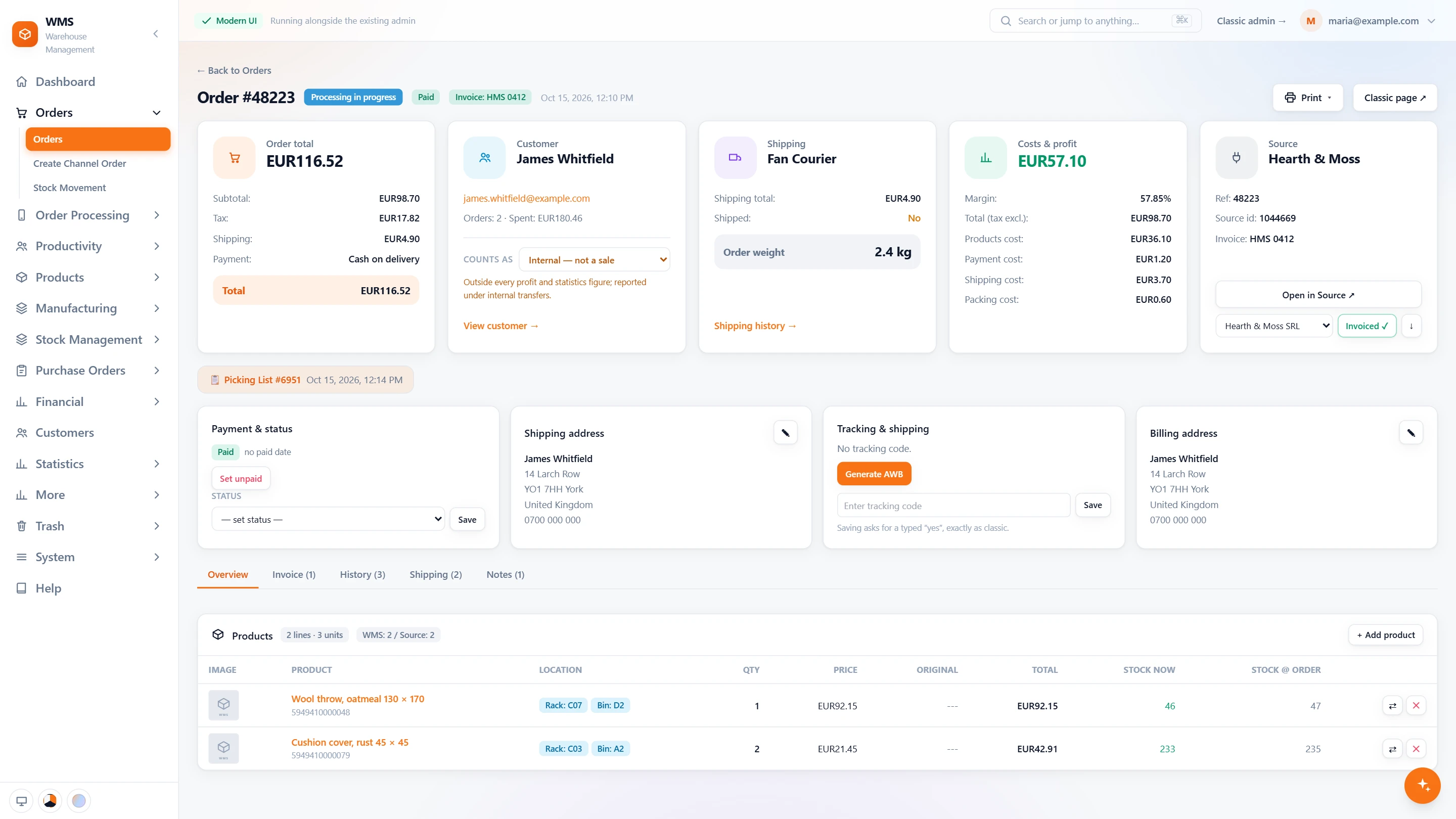
The office creates the order in Pulsa for the trade sales channel and adds the products line by line. Every product on the order shows its rack, bin and stock now, so you know at once whether it can all be supplied.
A long order, one walk
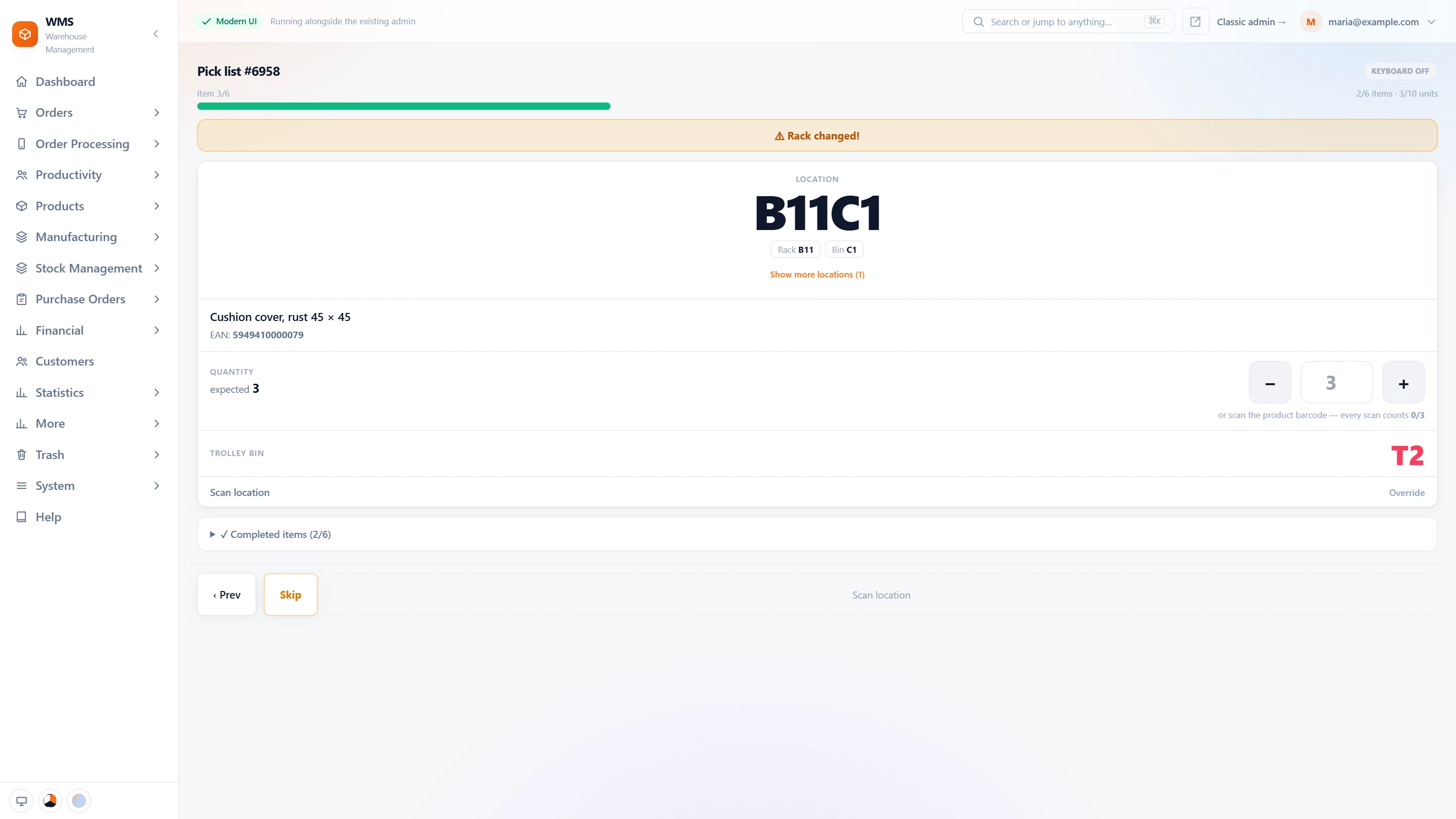
The picker gets the order as one list in walk order, every line confirmed by a scan. A whole case is counted with one scan of its box barcode. When a product is not on the shelf, the line is skipped with a reason and the order is marked as shipping short.
Packed into numbered boxes
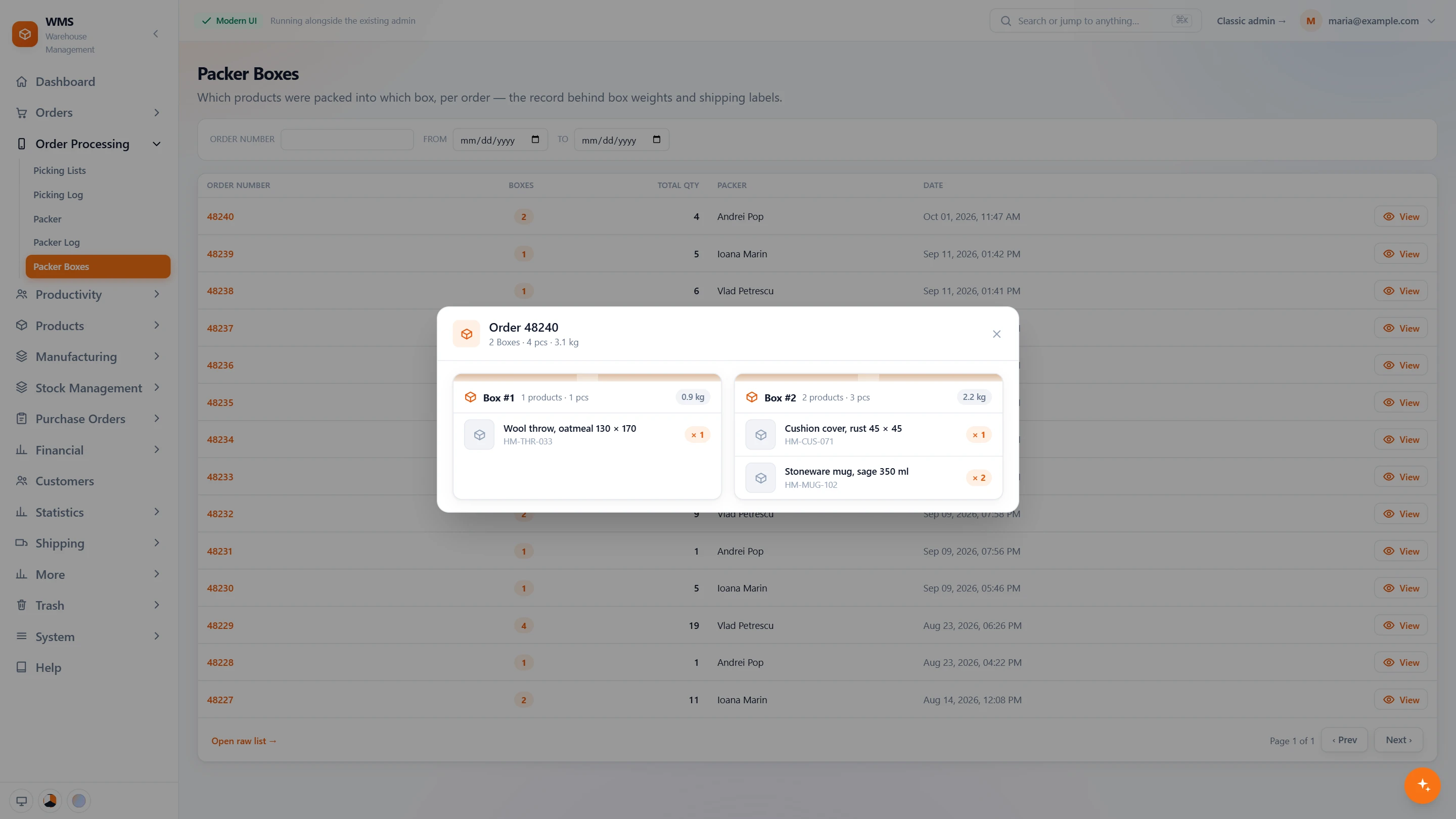
At the bench each item is scanned in, and a box is closed with its weight when it is full. Box one, box two, box three: Packer boxes keeps the record of what went into each, which is the answer when a customer says something is missing.
Invoiced in the right series
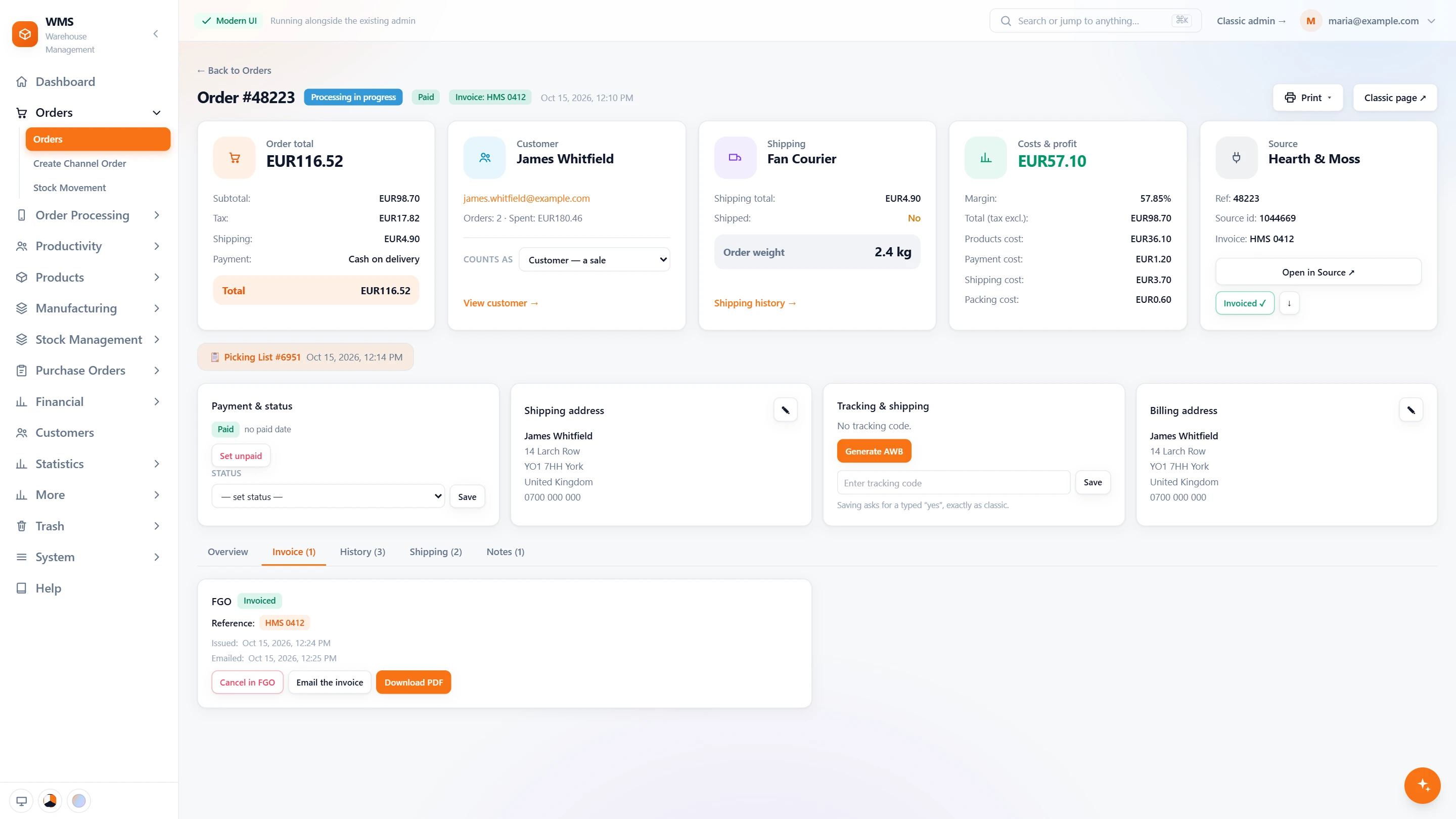
The invoice is issued from the order in SmartBill or FGO, in the trade customers' series, and emailed to the customer. With several companies, Pulsa suggests the one set for that sales channel, and its own details go on the invoice.
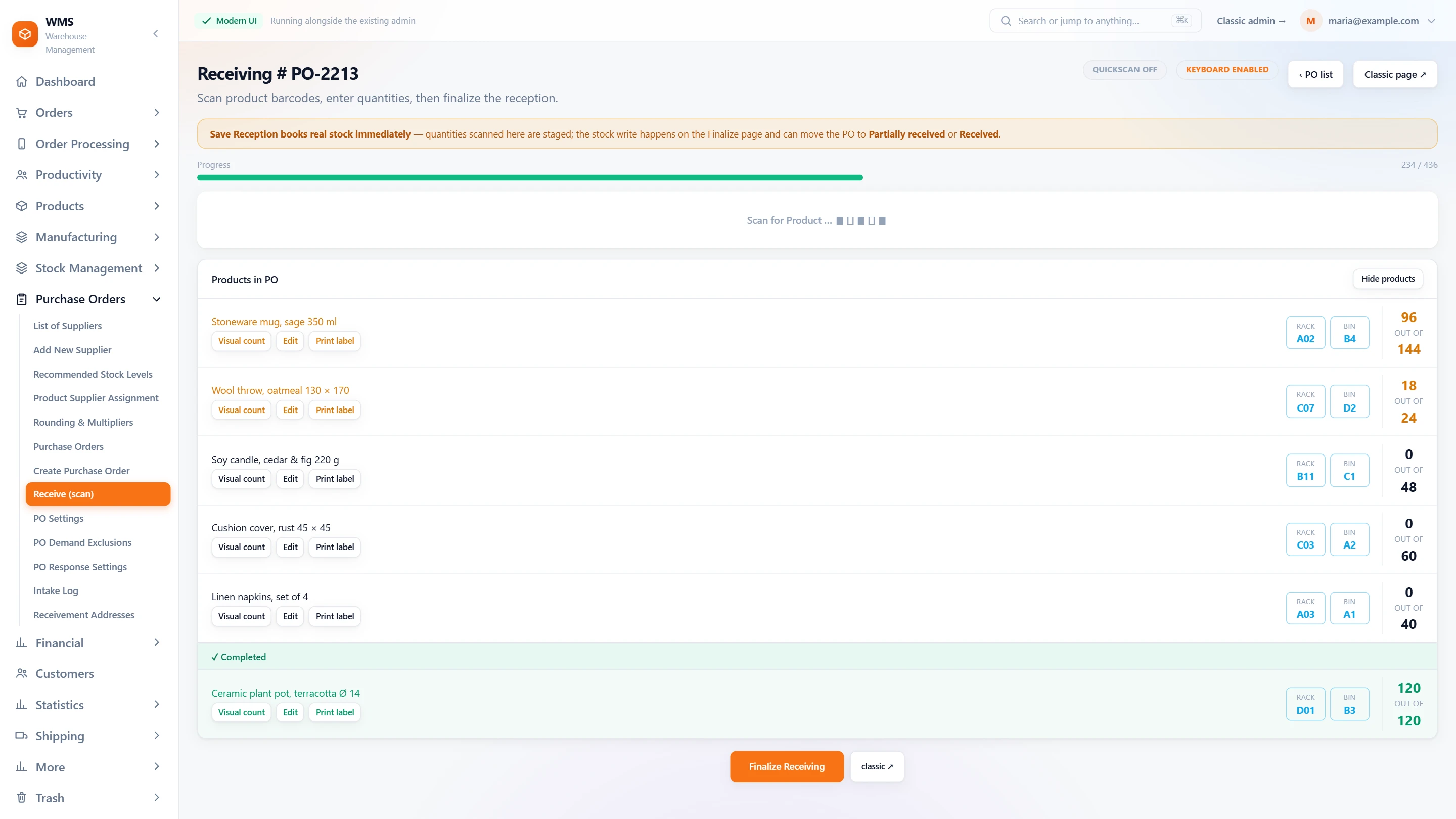
The supplier's pallet comes in by scan
A delivery arrives for an open purchase order. Each carton is counted with one scan of its box barcode, the screen shows what has arrived against what was ordered, and a product that is not on the order is refused. The stock changes only when the reception is saved.
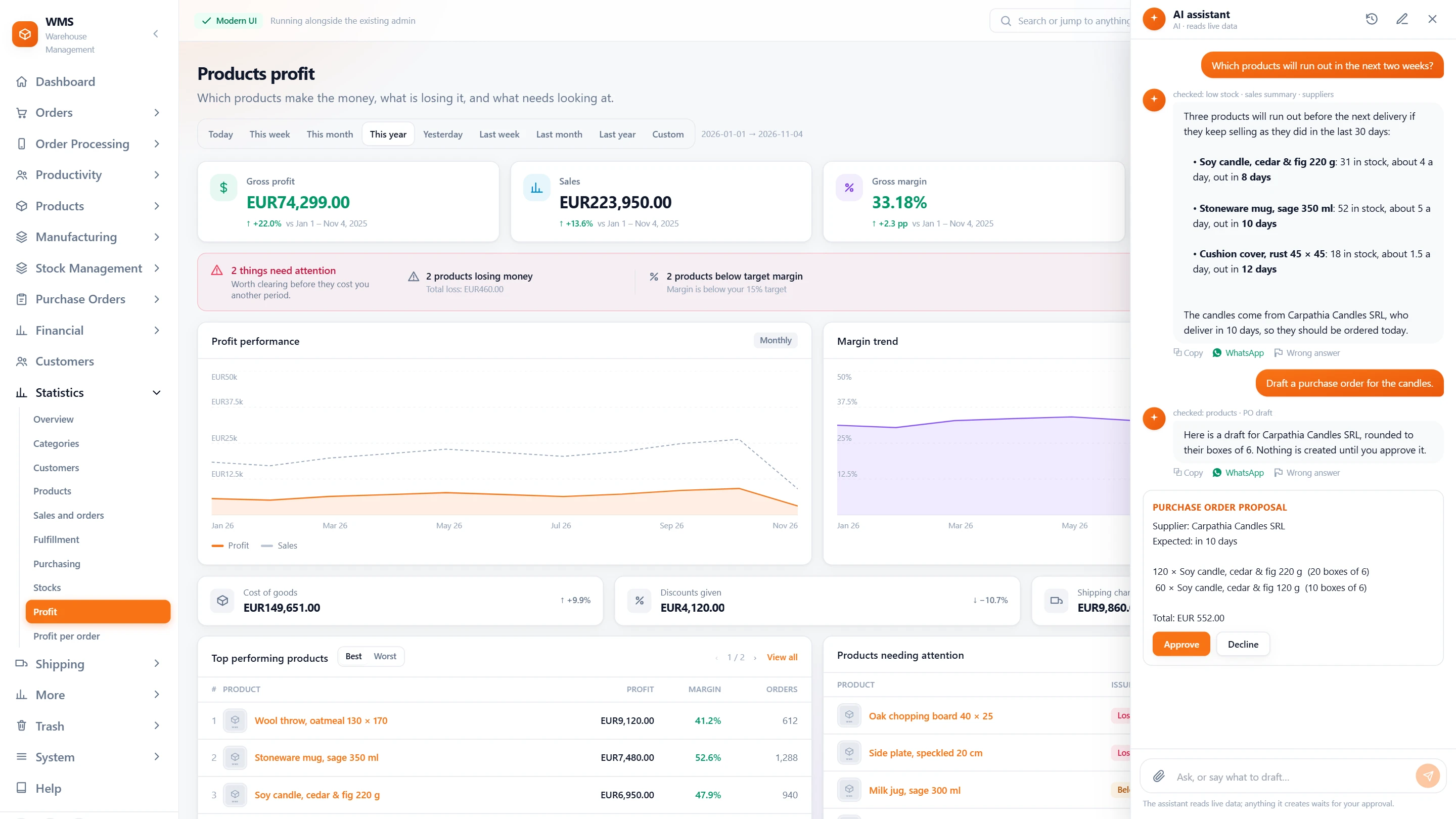
Ask who buys what
Before the next sales call, ask the AI assistant what a customer buys most, or which products are running low. It answers from your own data, says which dates it covered, and drafts a purchase order only for you to approve.
Wholesale on paper, and wholesale in Pulsa.
Today: A phone order is written down, then typed again into the invoicing tool.
With Pulsa: The order is created once in Pulsa, and the invoice is issued from it.
Today: A long order is picked from a printout with a pen.
With Pulsa: The lines come in walk order on the scanner, each one confirmed by a scan.
Today: A missing line is found by the customer after delivery.
With Pulsa: A skipped line is recorded with its reason, and the packer sees what is missing before packing.
Today: Nobody can say which box a product went into.
With Pulsa: Packer boxes lists every box of every order with its products and weight.
Today: Cases are counted unit by unit, at picking and again at receiving.
With Pulsa: One scan of the box barcode counts every unit in the case.
Today: Two companies share the shelves, and their stock gets mixed.
With Pulsa: Each company has its own stock, and every move between them is on record.
What changes for each person.
The same order passes through three pairs of hands. Each of them gets less to check and more to rely on.


Questions
Can we enter orders taken by phone or e-mail?
Yes. An order can be created in Pulsa for one of your sales channels.
Does each box get its own packing slip?
Yes. Large orders are packed into numbered boxes, each with its weight and packing slip.
Can we see which customers buy most?
Yes. The statistics show sales by customer, and the AI assistant answers what a customer buys most.
Can trade customers be invoiced in a different series from the webshop?
Yes. Each invoice series has its own prefix and numbering and is used by the sales channels you choose, so the webshop and the trade customers can each have their own.
We sell by the case. Do we have to count every unit?
No. A case or multipack gets its own barcode with the number of units in it, such as a box of 6 and a carton of 24. One scan counts them all at picking, packing and receiving.
One huge order makes a product look popular for months. Can reordering ignore it?
Yes. Demand exclusions leave chosen sales out of the calculation, so a one-off bulk order does not distort the purchase proposals.
Can an order leave with a line missing?
Yes, and nobody is surprised. Skipped lines are counted, the order list shows the orders that will ship short, and the packer sees what is missing and why before packing.
Also for
See it with your own orders.
In the demo we connect your channels and show Pulsa working with your own orders.