


Your Shopify orders, picked and shipped from your own warehouse.
Orders reach Pulsa the moment they are placed. Fulfilments, statuses, stock and prices go back to Shopify, and your products are matched on SKU or barcode.
- 0orders typed by hand: they arrive from the shop on their own
- 2-waysync: orders come in, statuses and stock go back
- 100%of items scanned before the parcel is sealed
- 1stock and price, the same in the shop and the warehouse
Shopify sells. Pulsa runs the warehouse behind it.
Shopify is excellent at taking orders, but it does not know which shelf a product is on, who should pick it, or whether the last unit has just been sold on another channel. Most growing shops end up filling that gap by hand: printing orders, checking stock in spreadsheets and typing tracking numbers back into Shopify one by one.
With Pulsa connected, every Shopify order lands in your warehouse system the moment it is placed. Your team picks it with a scanner, packs it, prints the courier label, and Shopify is told it has been fulfilled. Stock and prices are sent back the other way, so what customers see in your shop is what you actually have on the shelf.
You keep running your shop in Shopify exactly as before. Pulsa simply takes over everything that happens after the customer clicks "Buy".
Less typing, fewer mistakes, faster shipping
Everything the Shopify integration does.
What the Shopify connection of Pulsa really does, from its five-step guide to the orders, fulfilments, stock and prices it keeps in step.
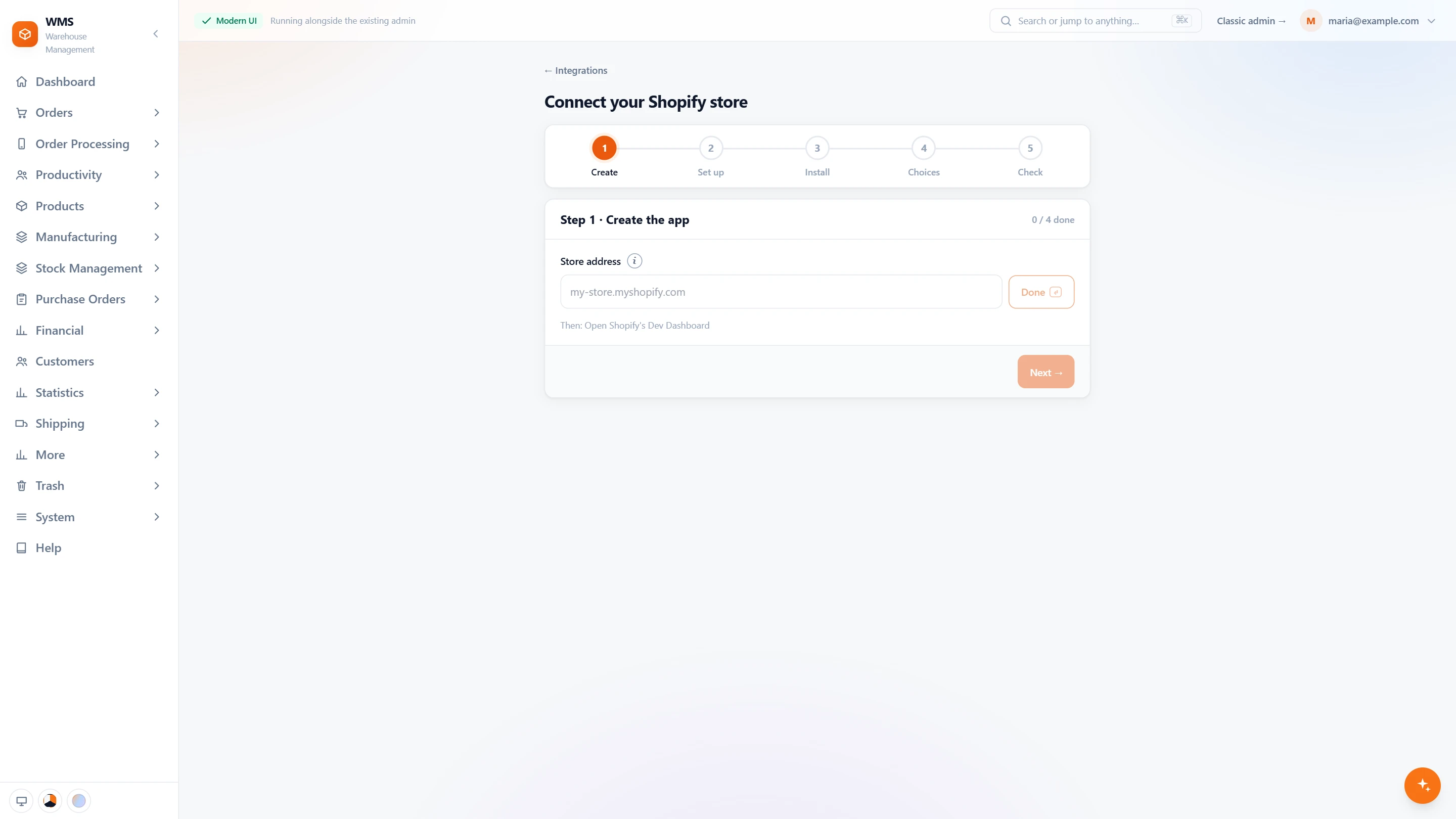
Connect your store in five steps
- One step at a timeCreate, Set up, Install, Choices and Check: the guide shows where you are and what is done.
- Your own appEnter your store address, then create an app for your store in Shopify's Dev Dashboard. No App Store listing.
- Set up, released, installedThe guide walks you through setting the app up, releasing it and installing it in your store.
- Two keys pastedCopy the app's two keys into Pulsa; the secret is never shown again once saved.
- Your choicesWhich side owns the stock, and whether past orders are imported.
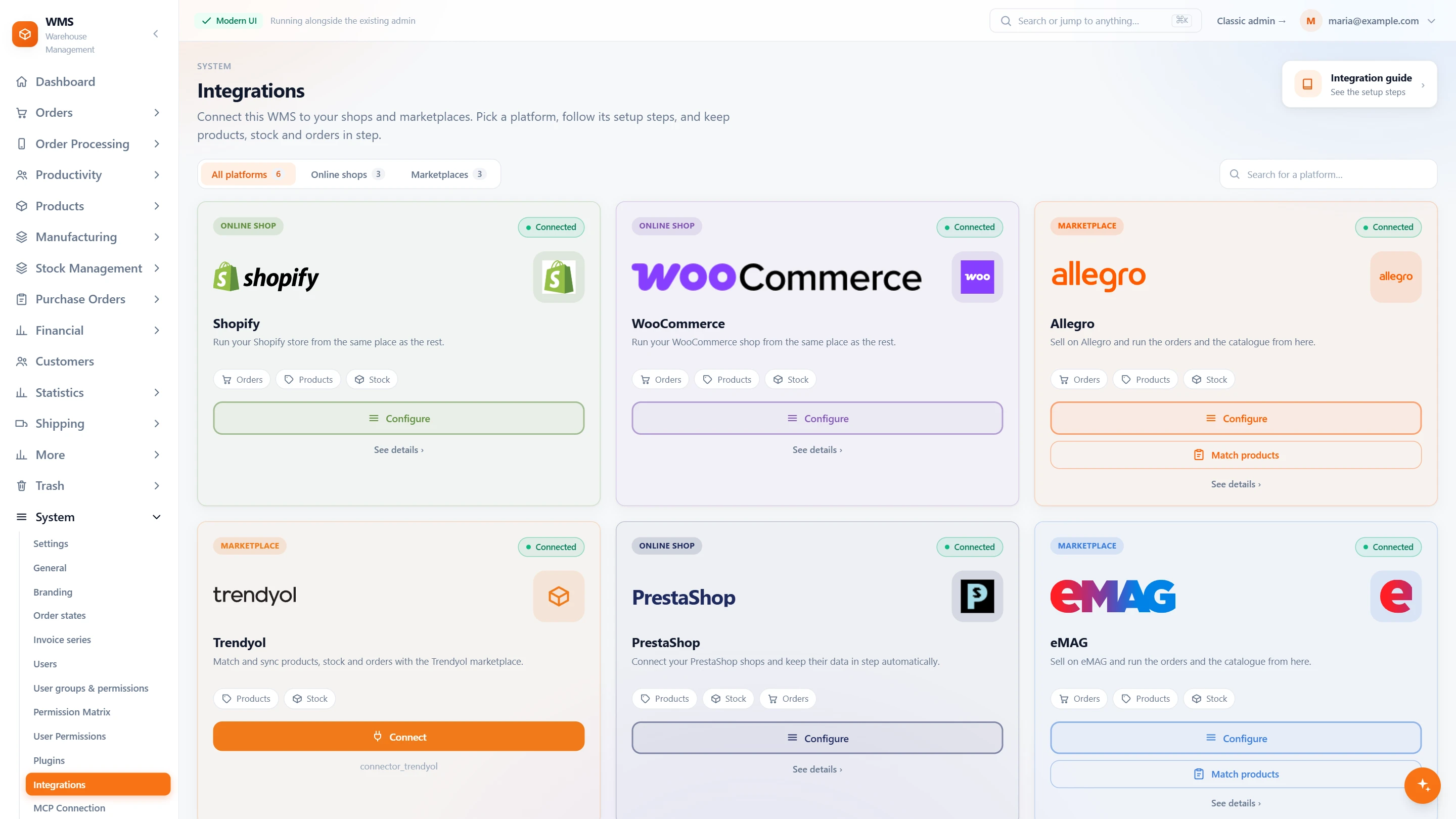
All your channels on one page
- Every shop and marketplaceSettings › Integrations lists each platform on a card, filtered by online shops or marketplaces.
- What each one syncsThe Shopify card shows what flows: orders, products and stock.
- Configure from the cardOne button opens the store's settings again whenever something changes.
In daily work
- Orders as they are placedShopify sends each new order to Pulsa straight away.
- Marked as fulfilledWhen the parcel leaves, Shopify shows the order as fulfilled.
- Stock and prices go backOne stock, shared with your other channels.
- Products matchedYour Shopify products are linked to yours by SKU or barcode.
- Your shop stays yoursProducts, design, payments and marketing stay in Shopify.
From "Buy" in Shopify to a parcel on its way
- 01The order arrivesShopify sends the new order to Pulsa the moment it is placed.
- 02Stock is reservedThe products are set aside so no other channel can sell them twice.
- 03Picked by scanA picking list sorted by rack and bin leads your team through the warehouse, and every item is scanned.
- 04Packed and labelledThe parcel is checked by scan and the courier label is printed in the same step.
- 05Shopify is updatedThe order is marked as fulfilled, and stock and prices stay in sync.
What moves between Shopify and your warehouse
Setting up Shopify with Pulsa
- 01Create an app for your store
In Shopify's Dev Dashboard, for your own store only. No Partner account, no App Store listing.
- 02Paste two values
Copy the app's Client ID and secret into Pulsa.
- 03Products matched
By SKU or barcode, so each product is linked to the right one.
- 04Switched on
Nothing is sent or received until the page is filled in and you switch it on.
- Access to your Shopify admin, as the owner or with app permissions
- An SKU or barcode on each product
We set it up with you during onboarding, and every connection starts switched off until it has been tested.





Questions about Shopify
What does the Shopify integration actually do?
It brings every Shopify order into Pulsa as soon as it is placed, and sends fulfilments, order statuses, stock levels and prices back to Shopify. Your team then picks, packs and ships the order from Pulsa.
Do I have to install an app from the Shopify App Store?
No. You create an app for your own store in Shopify's Dev Dashboard and paste its Client ID and secret into Pulsa. Nothing is installed from us.
How quickly do orders arrive?
As they are placed: Shopify sends each new order to Pulsa straight away.
Can I sell on Shopify and on marketplaces from the same stock?
Yes. Pulsa keeps one stock for all your channels. An order from any of them reserves the products, and the new stock level is sent to the others.
What if some products have no SKU?
Products are matched on SKU or barcode, so each one needs one of them. Adding them in Shopify first is the quickest route.
Do I still manage my shop in Shopify?
Yes. Products, design, payments and marketing stay in Shopify. Pulsa takes over the warehouse work after the order is placed.