
Scan every item into the box. The courier label is ready.
The packing screen checks each product against the order as it goes into the parcel, then prints the label for the courier the customer chose.
A wrong item packed by eye is found by the customer.
Packing from a printed list relies on the packer's eyes, and a tired eye misses things. Labels are typed into each courier's own website, and the tracking number is copied back to the shop by hand. Pulsa checks every item by scan and makes the label from the order, so that typing and those mistakes go away.
How it works in Pulsa
Scan the order in hand
No searching for the order on screen: scan the invoice or the packing slip and its contents appear. The scan is picked up anywhere on the page, so the packer keeps both hands on the parcel and never touches the screen.
Scan each item as it goes in
A wrong product is caught before the parcel is closed: every item is checked against the order as it is packed. One scan of a box barcode counts all the units in the box, so nobody counts them one by one.
Several boxes when needed
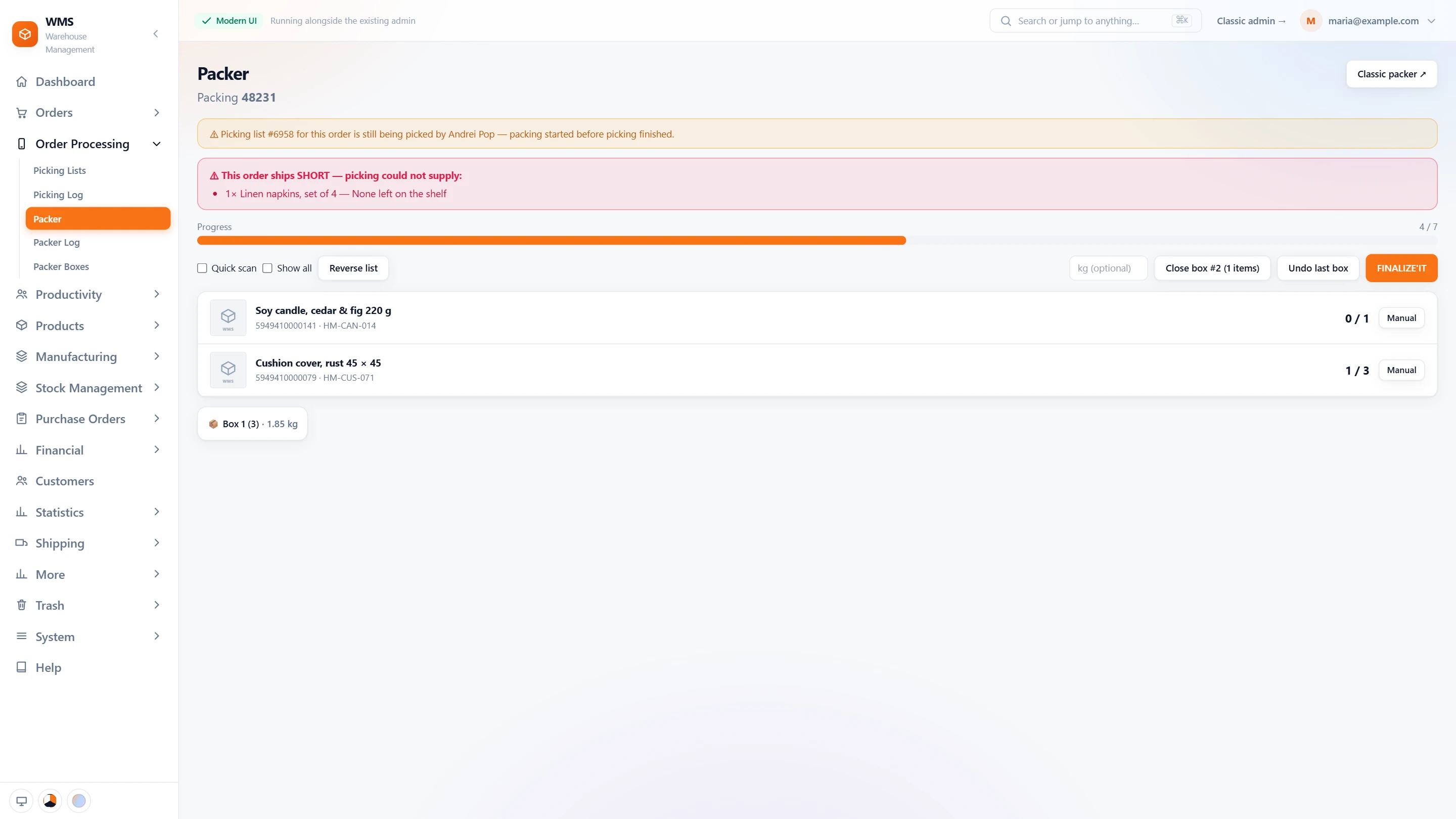
Big orders stay organised: they go into numbered boxes, each with its weight and packing slip. Packer boxes shows what went into each box, so a question later has a clear answer.
The label for the right courier
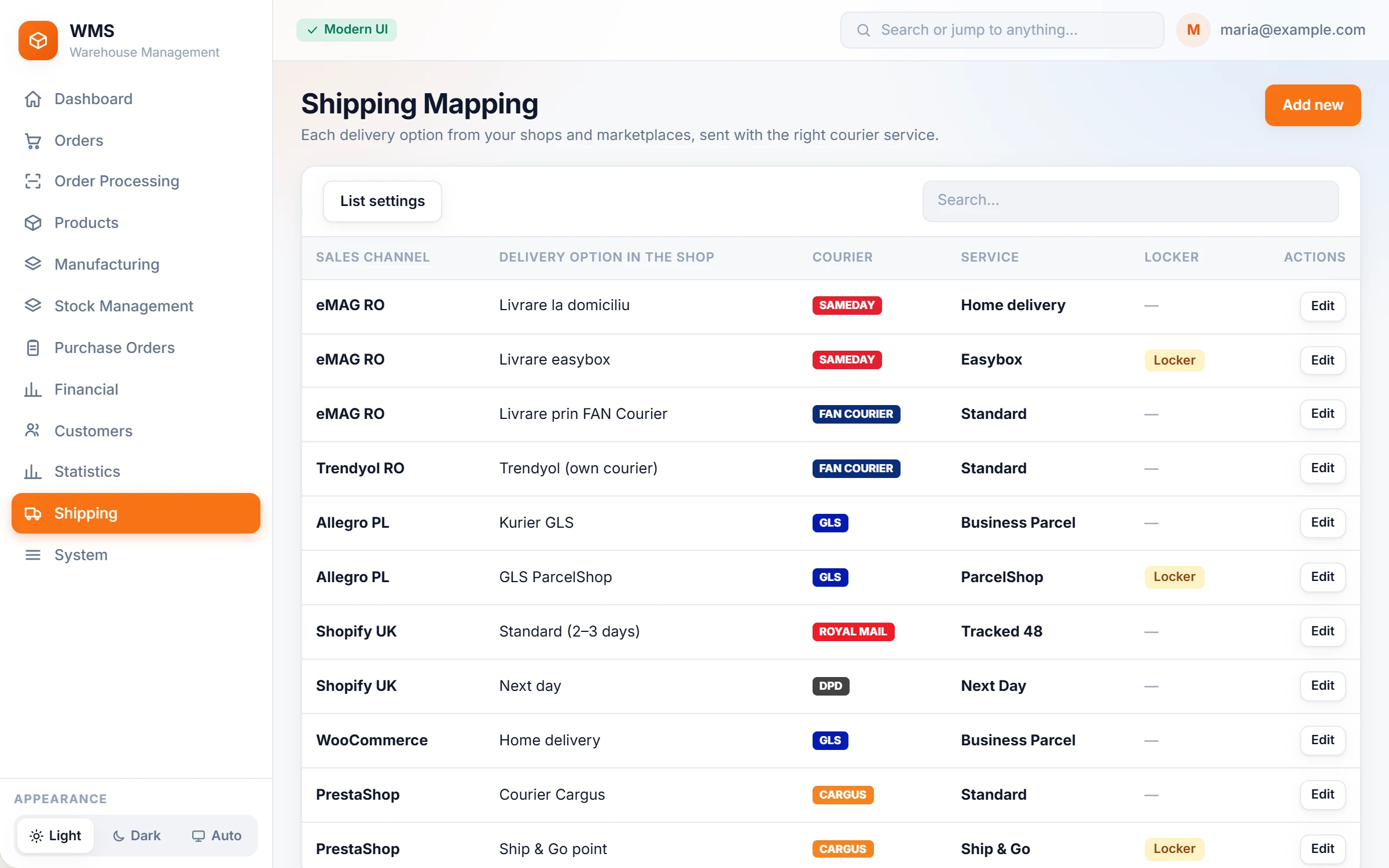
Nobody has to remember which courier service goes with which delivery option. Shipping mapping turns the option the customer chose into the courier's service, and labels are created, voided and tracked with the same buttons for every courier.
Labels in bulk
No more making labels one at a time: with Print outstanding shipments, scan the invoices or packing slips and the labels for those orders are generated together.
Everything packing does, from the slip to the last box.
Packing by eye and typing labels by hand is where wrong parcels and lost time come from. Here is what the packer and its pages in Pulsa really offer. Anything that depends on a setting says so.
The packing station
At a busy bench it is easy to pack a look-alike product or one too few. The packer checks every item by scan, so the parcel matches the order before it is closed.
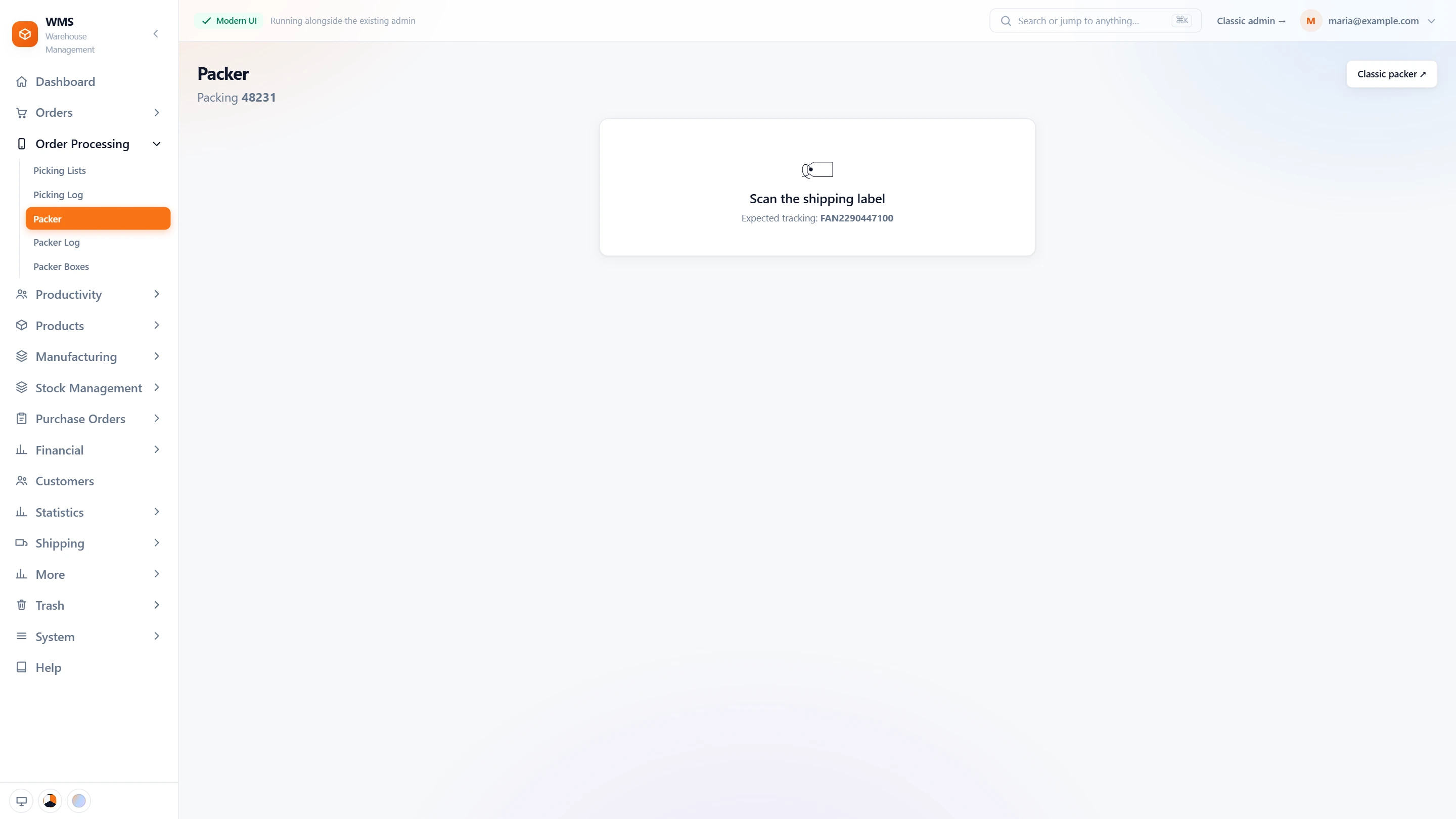
- Scan the slipStart the order with one scan: scan the invoice or packing slip anywhere on the page, or type the order reference.
- Every product countedNo ticking off a printout: each product with its EAN and reference, and how many are packed of how many; each scan counts one.
- Quick scanFewer taps per item: each scan is confirmed at once with the default quantity; the default is a setting, and the packer can switch it.
- Count by handA label that will not scan does not stop the bench: count that product manually.
- Mistakes caughtA product from another order is refused, a scan over the quantity is flagged, and a change of product mid-count can warn, so the mistake never reaches the customer.
- Always see what is leftA bar shows how many items are packed out of how many. Finished lines disappear, so only what is left is shown; one button brings them all back, another reverses the order of the list.
Boxes
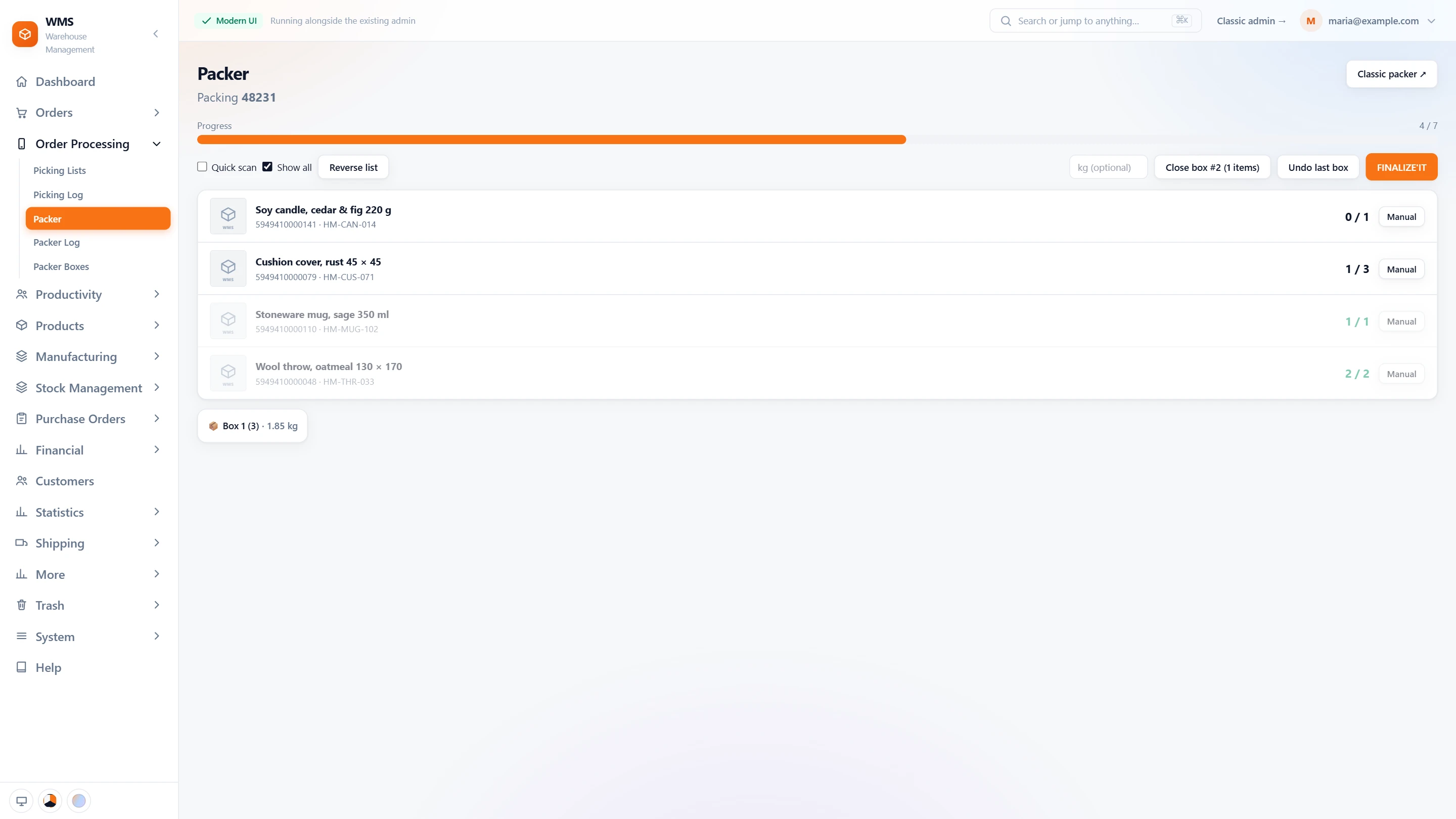
Orders that do not fit one box are where items get lost and weights get guessed. Here each box is recorded with its contents and its real weight.
- Pack in boxesClose a box when it is full, with its weight; undo the last box if you closed it too soon.
- Weights that labels useNo retyping weights for the courier: each box keeps its weight, so the shipping label carries the real weight per parcel.
- Which product in which boxWhen a customer asks, you can answer: one page lists the packed orders, and each one opens to its boxes, their products and weights.
- A slip per boxWhen switched on, each box gets its own packing slip, so every box can be checked on its own.
Warnings before you pack
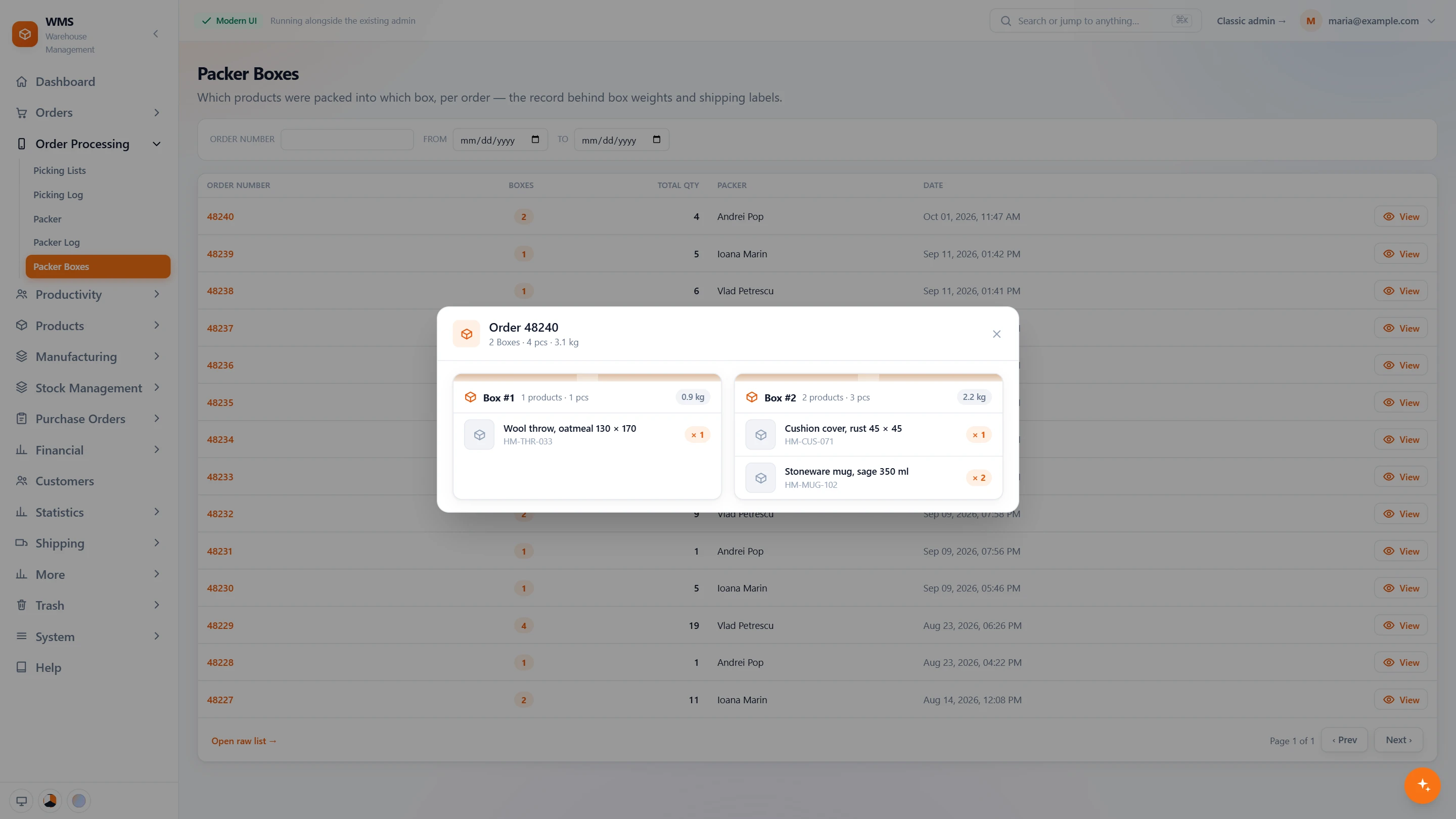
Packing an order that is not ready, or that someone else is already packing, wastes time and sends out half parcels. The packer is warned before it starts.
- Ships shortNo surprise at the bench: if picking could not supply a product, the packer sees what is missing and why before packing.
- Picking not finishedWhen the order's picking list is still open, the packer is told who is picking it, so they know whom to ask.
- Packed elsewhereNo order packed twice: if another packer is already on it, it says so.
- Already packedPacking a finished order again asks for a clear yes first, so it does not happen by accident.
The shipping label
A label stuck on the wrong parcel sends it to the wrong customer. These checks tie the label to its order, and the label can be ready as soon as packing ends.
- Scan the labelWhen switched on, packing starts by scanning the order's shipping label, so parcel and label belong together from the start.
- The right labelThe expected tracking number is shown, and a label of another order is refused, so labels cannot be swapped.
- Label after packingNo separate step for the label: when switched on, it is generated once packing is done.
- Unknown barcodesA product with an unfamiliar barcode does not hold up the bench: when switched on, the barcode can be linked to its product right there.
- FinalizeFinalize the order; if what was packed does not match the order, the differences are listed first, so nothing leaves wrong without a decision.
The packer log
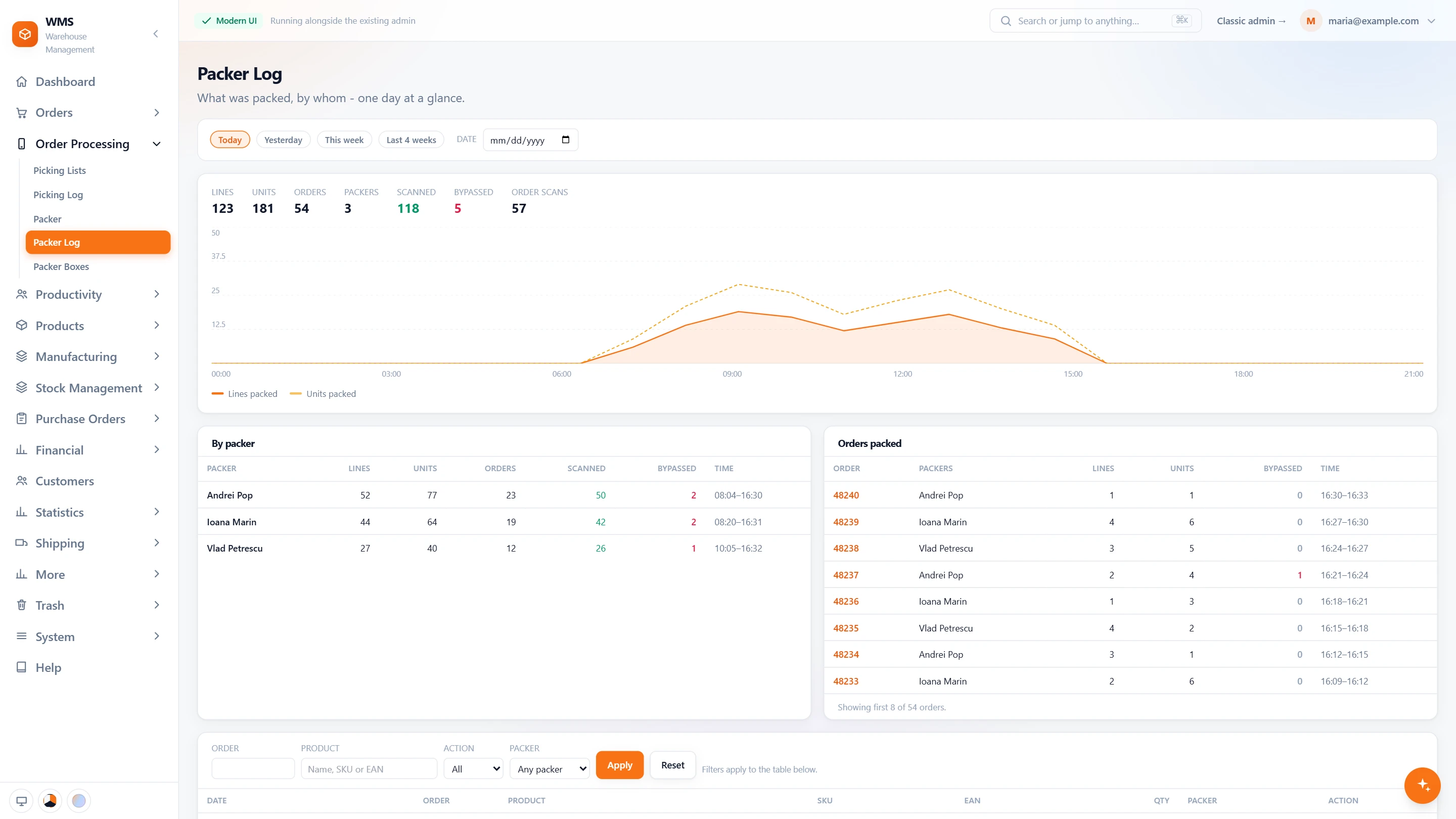
Without a record, "was it packed?" and "how busy was the bench?" are guesswork. The packer log keeps every line, so the answers are a click away.
- The day at a glanceSee how much was done without counting: lines, units, orders and packers, how many lines were scanned or bypassed, and how many orders were scanned.
- Hour by hourSpot the slow hours: lines and units packed through the day, on one chart.
- By packerClear numbers for each person: their lines, units, orders, scans and overrides, with their first and last pack.
- By orderWhen a customer says something is missing, see who packed the order, how much, and when.
- Any dayLook back whenever you need to: today, yesterday, this week, the last four weeks or any date.
- Find one lineGet to the answer fast: filter by order, product, action or packer.
What you gain
Mistakes caught at the bench
A wrong product or a wrong quantity is stopped while the parcel is still open, not found by the customer, so fewer returns and apologies.
No more typing into courier websites
The label comes from the order itself, and the tracking code is kept on the order, so nothing is typed or copied twice.
Proof when something is missing
When a customer says an item is missing, you can check instead of arguing: the picking log shows whether it left the shelf, the packer log whether it went into a box, and Packer boxes which box.
Connected to the shops, marketplaces and couriers you already use.






Questions
Which couriers can print labels from Pulsa?
Sameday, FAN Courier, Cargus, DPD Romania, GLS and Postis in Romania; Royal Mail, DPD Local, DHL Parcel UK, APC Overnight and Quiver in the United Kingdom; and collection from your own warehouse. All from the same packing screen, so nobody logs in to each courier's website.
Do marketplace orders get the marketplace's own label?
Yes. eMAG and Trendyol labels are printed from the same packing screen as the couriers' labels, so the packer does not switch tools for marketplace orders.
What happens when a shop adds a new delivery option?
It is added to Shipping mapping once, with the courier service it should use, and from then on every order with it gets the right label. Until then an order with that option cannot get a label, so we set this up together with you.
Can a label be cancelled?
Yes. A label that is no longer needed is voided from the order, and a new one can be created, without going to the courier's website.
What if a label does not print?
You do not have to guess. The shipping log keeps every request sent to the courier and what the courier answered, so the reason is there.
Related features
All featuresSee it with your own orders.
In the demo we connect your channels and walk you through this part of Pulsa on the real screens.