
Make your own products and sell them, from one system.
Recipes, the parts they use, production orders, and batches with expiry dates, in the same stock your shops and marketplaces sell from.
Sound familiar?
Parts run out mid-run
Nobody saw that the bottles or caps were running low.
Recipes in a spreadsheet
And the old version overwritten by the new one.
A recall nobody can trace
Which batch, made when, and does it expire soon?
What Pulsa does for you
From the recipe to the parcel, in one system.
When you make what you sell, the warehouse holds two worlds: the parts that go in and the products that go out. Pulsa keeps both in one place, so production, purchasing and the shops all look at the same stock.
- Know what you can make before you startPick a material and the Visual Builder shows every product that uses it and how many units the stock on the shelf is enough for. A product that cannot be made is marked with the part it is missing.
- No run stopped for a missing partParts below their reorder point are counted on the overview, with what is in stock and what is needed. A part purchase order is one click away, in the supplier's own units and pack sizes.
- Every batch can be tracedParts and finished products are kept by batch, with production and expiry dates, status and quality. A filter finds the batches that expire within 30 days, and a recall starts from facts, not memory.
- The real cost of every unitA manufacturing order adds up the material cost from the batches it really used, plus labour, into the cost of the order and of each unit. A draft shows what it will cost before anything starts.
A production day, from the first look to the last label.
Parts come in, products are made, and the shops keep selling from the same stock. This is how it fits together.
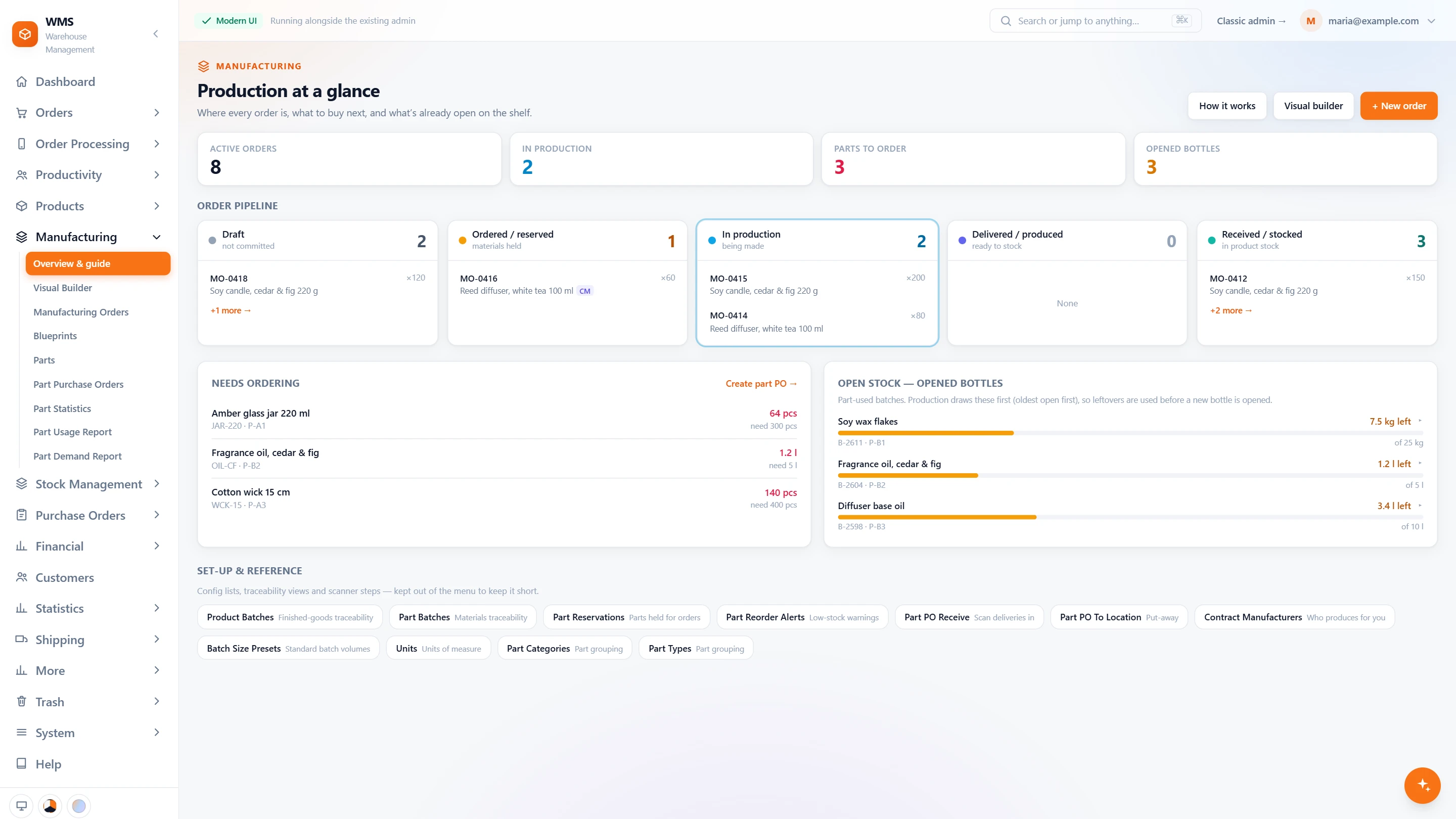
The production board at a glance
Four numbers first: active orders, orders in production, parts to order and opened bottles. Below them every manufacturing order sits in its stage, and the parts that need ordering are listed with what is in stock and what is needed.
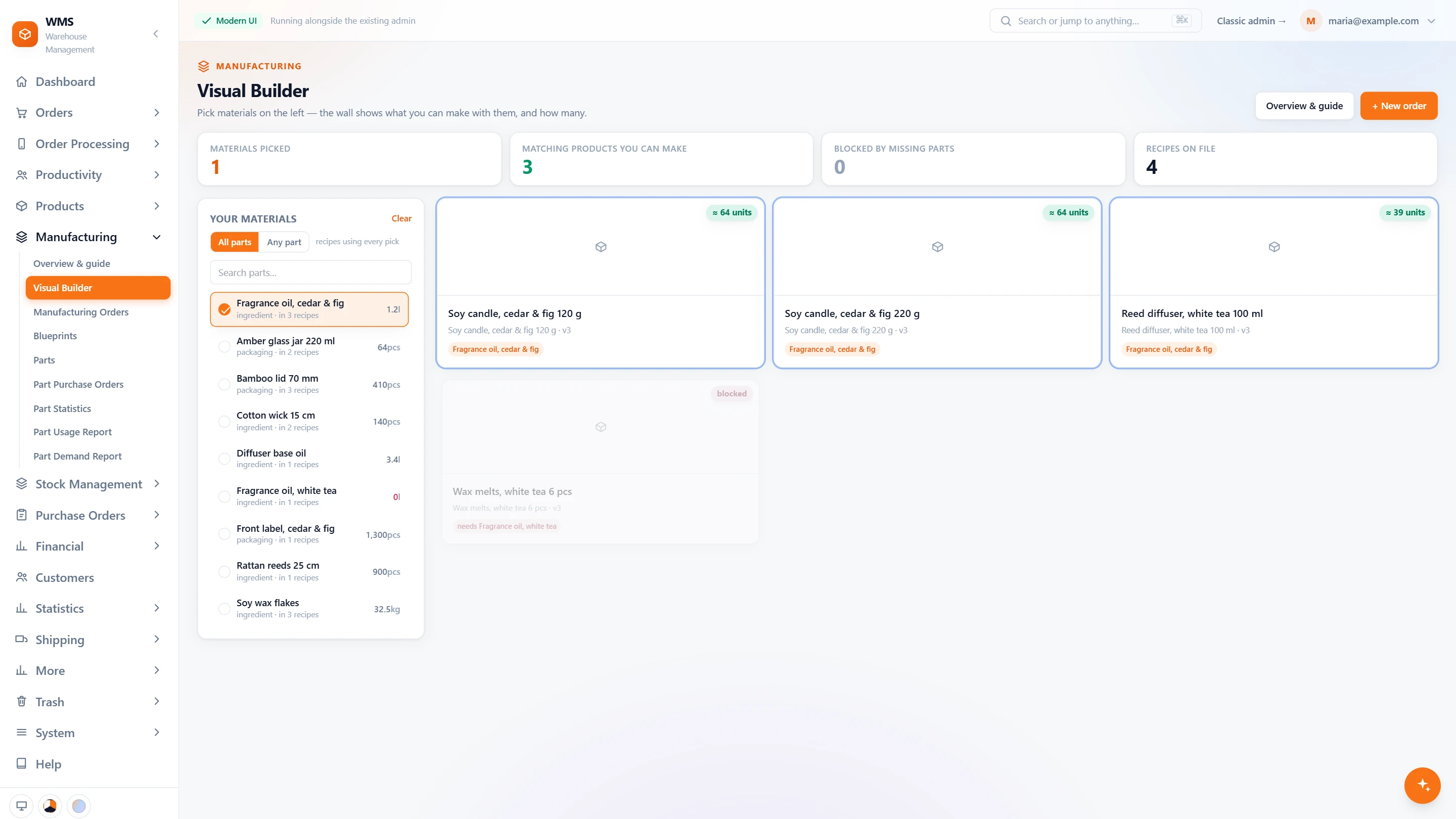
What can we make right now?
Pick the material that just came in, and the Visual Builder lists the products that use it, with how many units each can be made from the shelf. The one blocked by a missing part says which part. Start a manufacturing order from the product you choose.
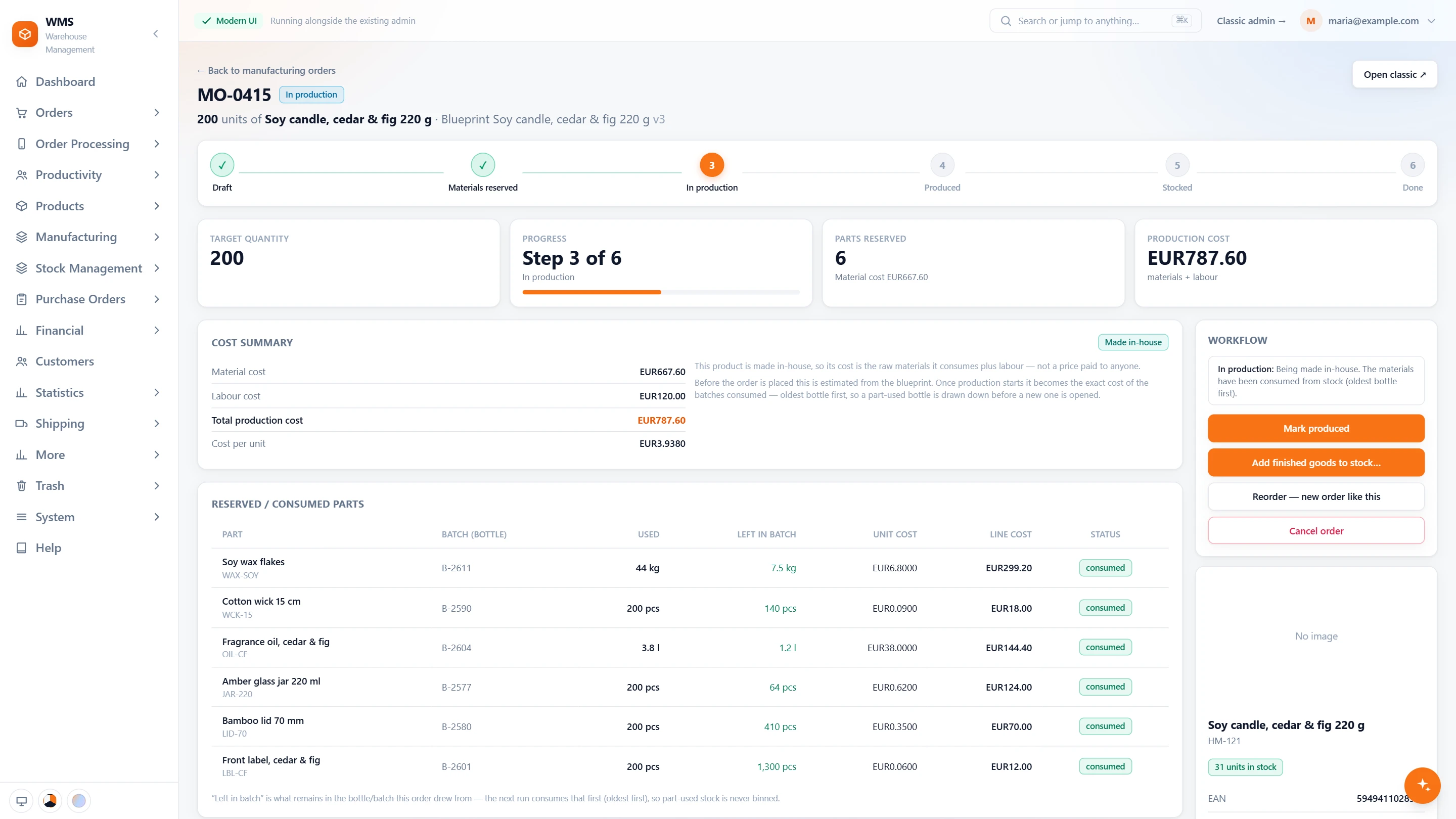
The run, step by step
The order moves from draft to materials reserved, in production, produced and stocked. Every part shows which batch it came from and what is left in it, and production draws the oldest opened batch first, so leftovers are used up.
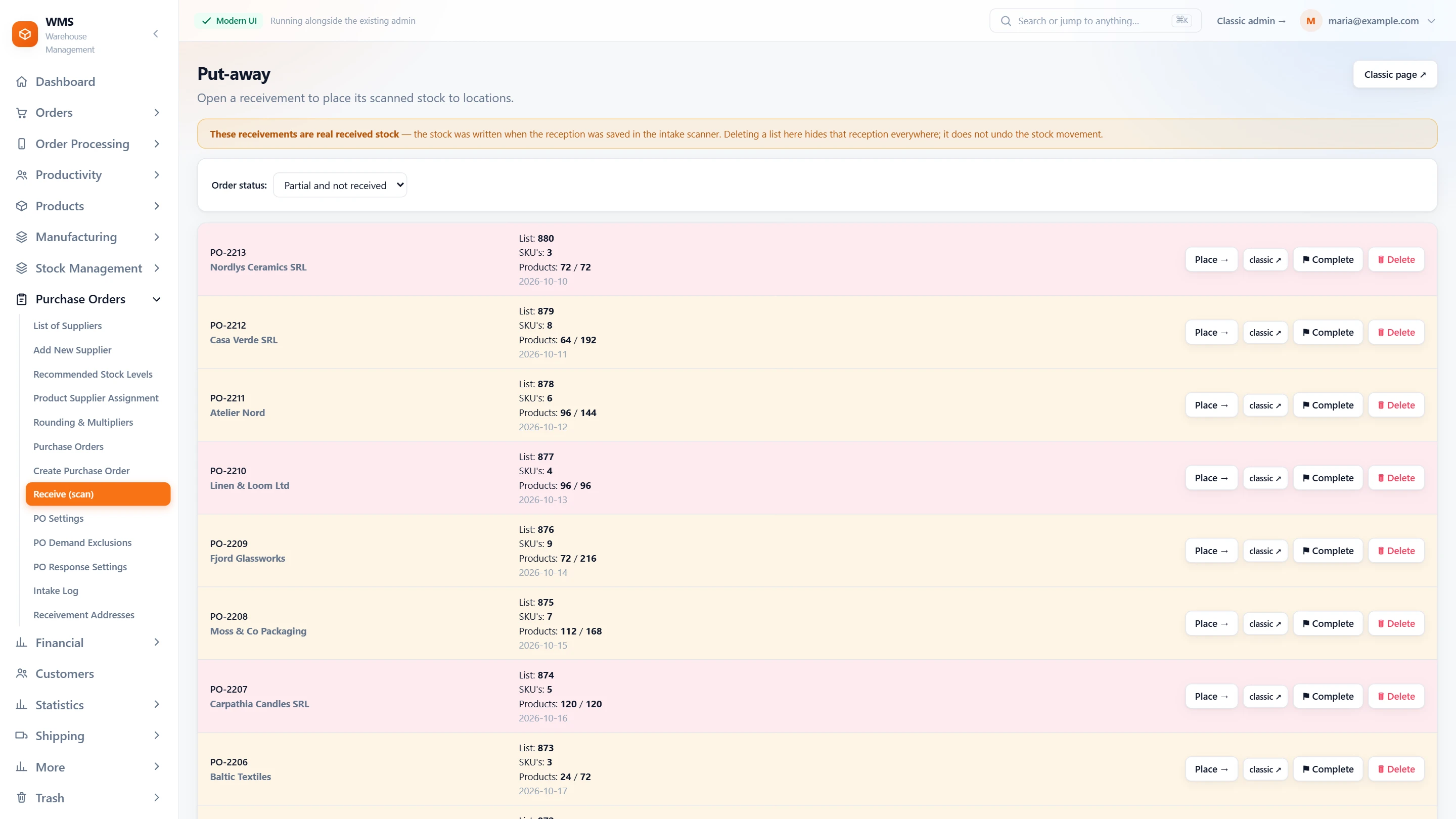
Bottles and caps put away by scan
A part delivery is received with the scanner against its purchase order, then put away to its own locations. The put-away screen shows how many products of each delivery are placed, so nothing waits unseen by the door.
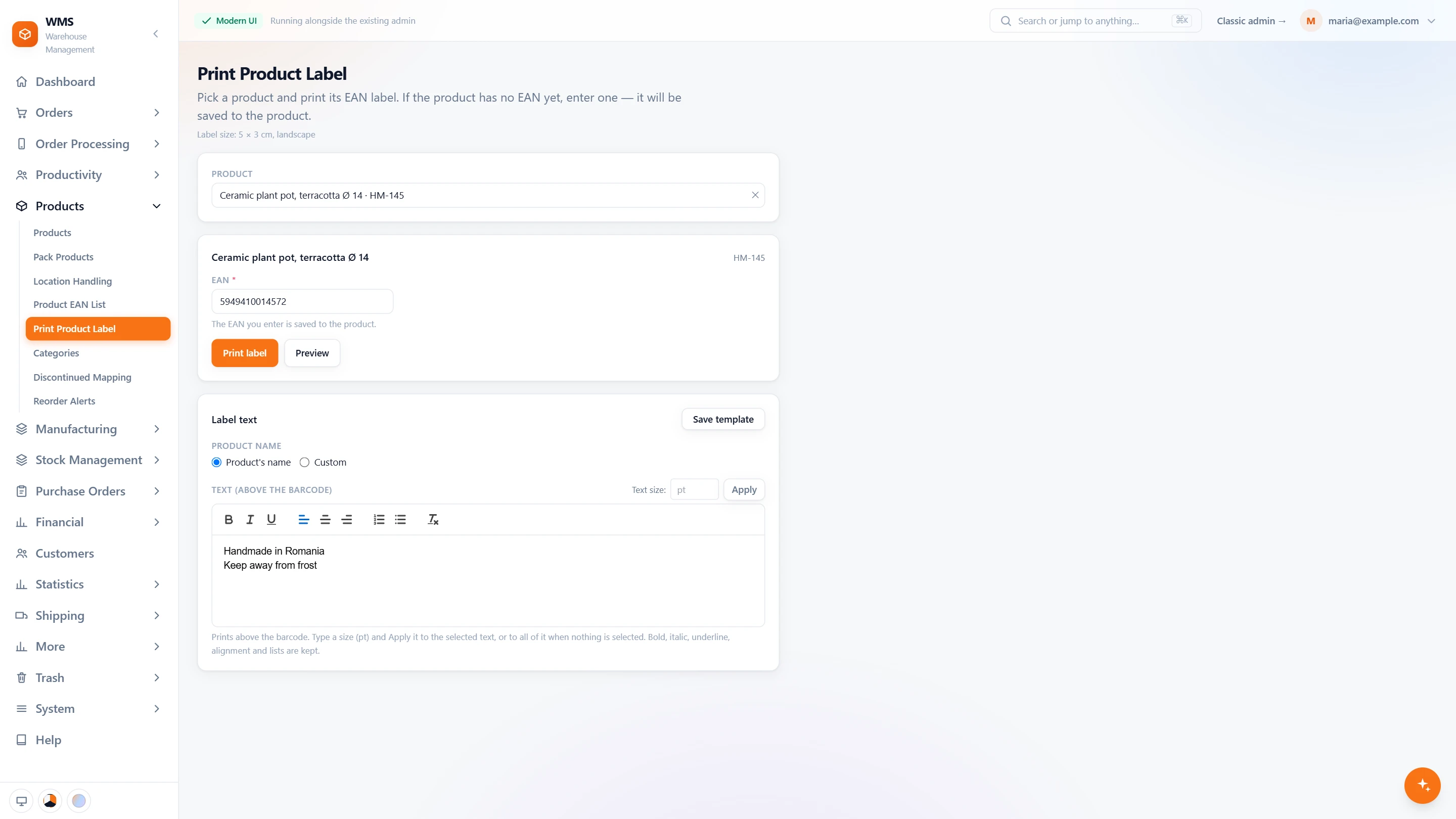
A new product gets its barcode
The first run of a new product has no EAN yet. Type a code, write the text that prints above the barcode, preview it and print. The code is saved to the product, so from now on it is picked, packed and counted by scan like everything else.
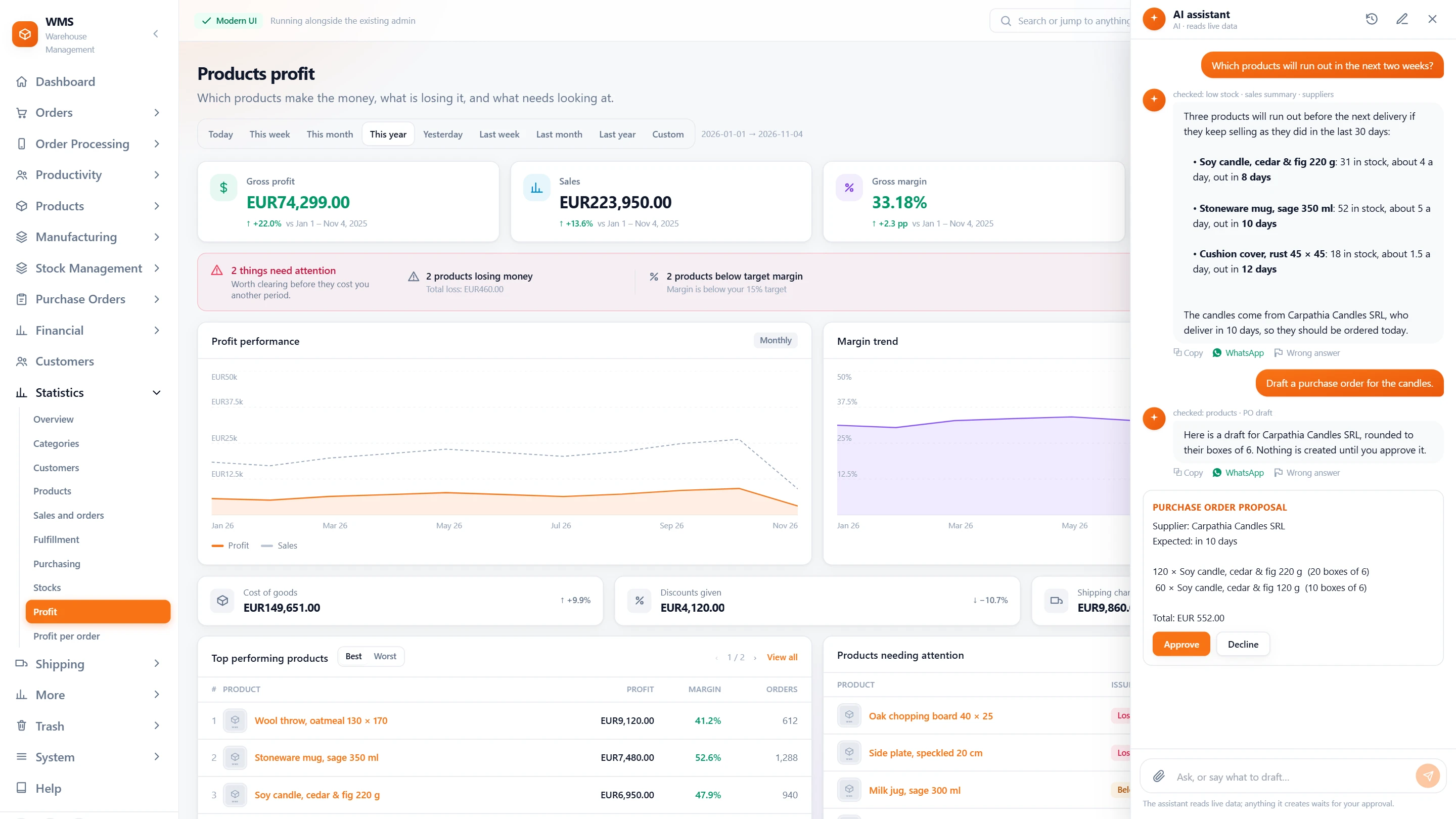
Could we make 500 next week?
Ask the AI assistant what you would need to buy. It answers from your own stock, recipes and orders, says what it checked, and can draft the purchase order as a card. Nothing is created until you press Approve.
Making it, without the spreadsheets.
Today: The recipe lives in a spreadsheet, and the old version is overwritten.
With Pulsa: Recipes are versioned, and old versions are archived, never deleted.
Today: Can we make it? Someone walks the shelves to find out.
With Pulsa: The Visual Builder says how many units the stock is enough for.
Today: Bottles or caps run out in the middle of a run.
With Pulsa: Parts below their reorder point are flagged and counted on the board.
Today: The cost of a batch is an estimate from last year.
With Pulsa: Material cost from the batches really used, plus labour, per order and per unit.
Today: A recall starts with the question: which batch, made when?
With Pulsa: Every batch has its production and expiry dates, and can be traced back.
Today: Production keeps one stock and the shop another.
With Pulsa: What you make goes into the same stock your shops and marketplaces sell from.
Production, warehouse and office on the same page.
Everyone works from the same parts, batches and stock, so nobody has to ask the others what is on the shelf.



Questions
We also buy finished goods. Is that a problem?
No. What you make and what you buy go into the same stock.
Can a contract manufacturer make some products?
Yes. Contract manufacturers are kept in Pulsa alongside your own production.
How do we know how many parts to buy?
The part demand report combines your sales with the recipes and says how many parts you will need.
What happens to a container we opened but did not finish?
It stays a part-used batch with what is left in it. The next order draws the oldest opened batch first, so leftovers are used up before a new one is opened.
Can labour be part of the cost?
Yes. A manufacturing order's cost is the material cost from the batches used plus labour, shown for the whole order and for each unit.
Can production belong to one of our companies?
Yes. Every manufacturing order says which company it belongs to, and each company keeps its own stock.
If we change a recipe, what happens to what we made before?
Nothing. Recipes are versioned, so a change never rewrites what was made before, and old versions are archived, not deleted.
Also for
See it with your own orders.
In the demo we connect your channels and show Pulsa working with your own orders.