
Count by rack, approve in the office, explain every difference.
Stocktakes are done rack by rack with the scanner. The office sees each product whose count disagrees, and can compare your stock with what every shop and marketplace is showing.
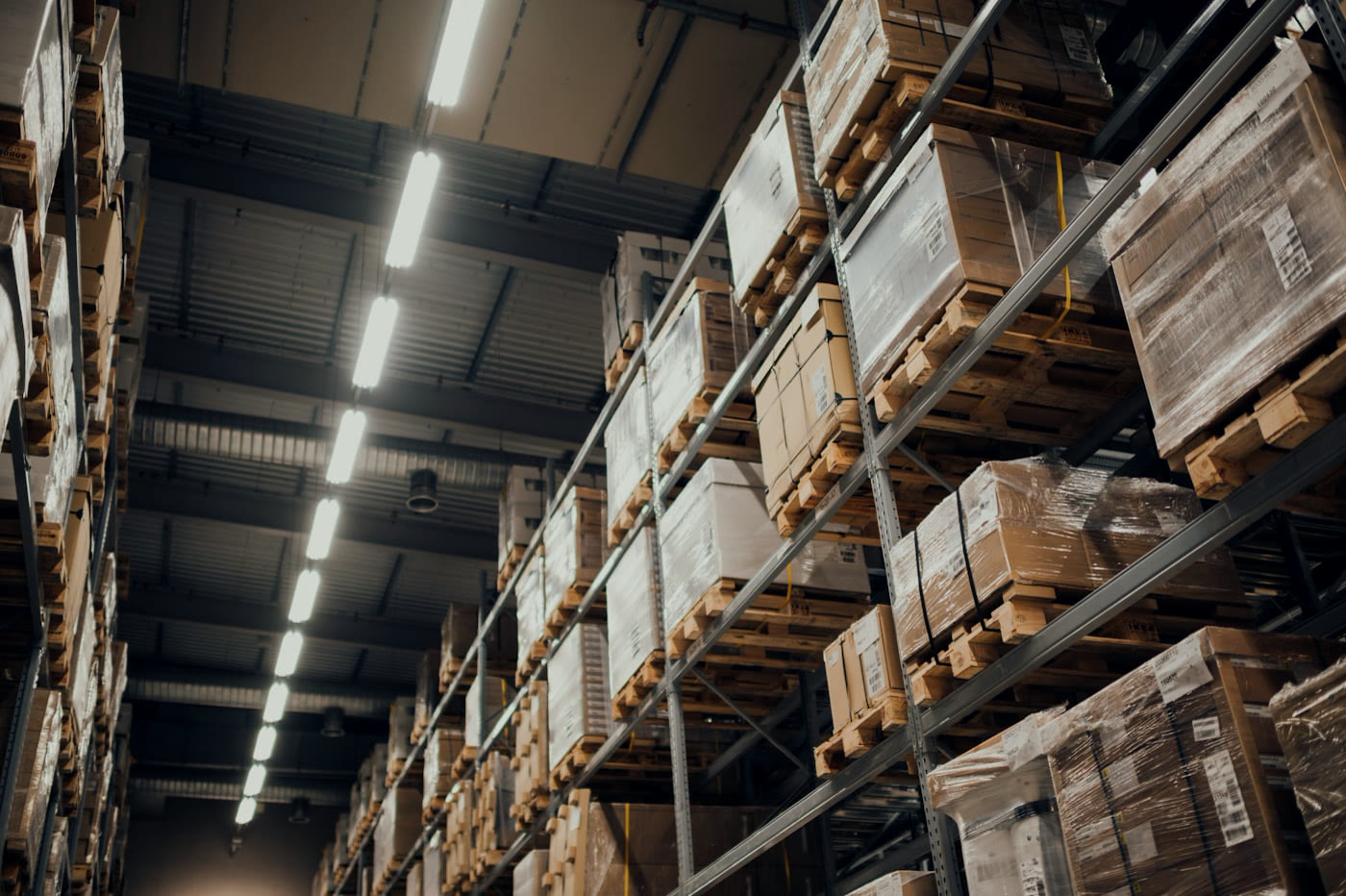
A once-a-year count on paper, and the shop still sells what is not there.
A full count closes the warehouse for a day. Two people count the same rack, the figures are typed in by hand, and nobody can say afterwards why the stock was wrong.
How it works in Pulsa
Pick a rack, not the whole warehouse
Instead of counting everything in one day, you count a rack at a time. The list of racks shows the state of each, with the person responsible, so nobody starts a rack someone else is already counting. A manual stocktake counts a list of products you choose instead.
Count with the scanner, not on paper
Work through the bins, scan each product and enter the quantity found: nothing to write down and type in later. A count that matches the stock is approved by itself, so only the differences need anyone's time.
Finalise the rack
When the rack is done, the count is finalised and goes to the office, with no sheets to carry back or retype.
Approve in the office, with the facts
No guessing why a figure is off. Each product whose count disagrees shows expected and counted stock, the difference, the shop's figure beside it, the rack and bin, and who counted. Approve or decline, and filter by person to review one shift.
Catch what your shops get wrong
Before a customer orders something you do not have, Stock differences lists every product where Pulsa and a shop or marketplace disagree, and turns that list into a stocktake, so the goods are counted instead of guessed.
Everything stocktake does, rack by rack.
What the stocktake pages of Pulsa really offer, from choosing a rack to approving the difference: counting becomes a small, regular job instead of a closed warehouse once a year. What depends on a setting says so.
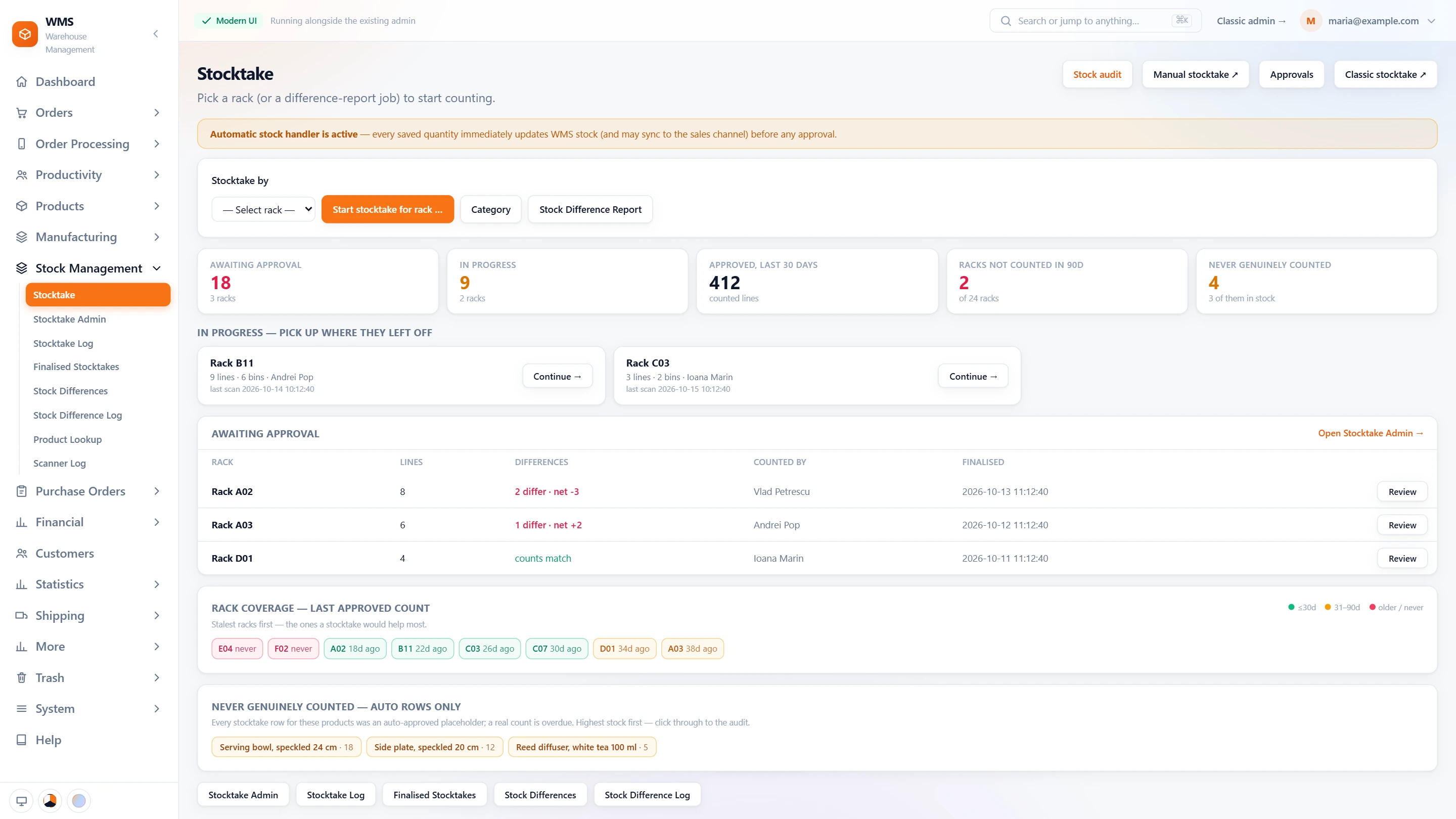
Know where to count next
Without an overview, the same racks get counted while others are forgotten for months. This page shows what is waiting, what is in progress and what has not been counted for a long time.
- The state of the countsLines awaiting approval, counts in progress, lines approved in the last 30 days, racks not counted in 90 days: the whole picture without asking anyone.
- Pick up where they left offCounts in progress, with who counts, how many bins and the last scan, one tap from continuing, so a count stopped at the end of a shift is not started again.
- Waiting for approvalEach finished count with its differences and who counted, one tap from the review, so nothing sits forgotten.
- Rack coverageEvery rack with the date of its last approved count, the stalest first, so the racks that need it most are counted first.
- Never really countedProducts whose every count was an automatic placeholder, highest stock first, so the riskiest figures get checked.
- By rack or by reportCount a whole rack, or just the products of a stock difference report, when only a few figures are in doubt.
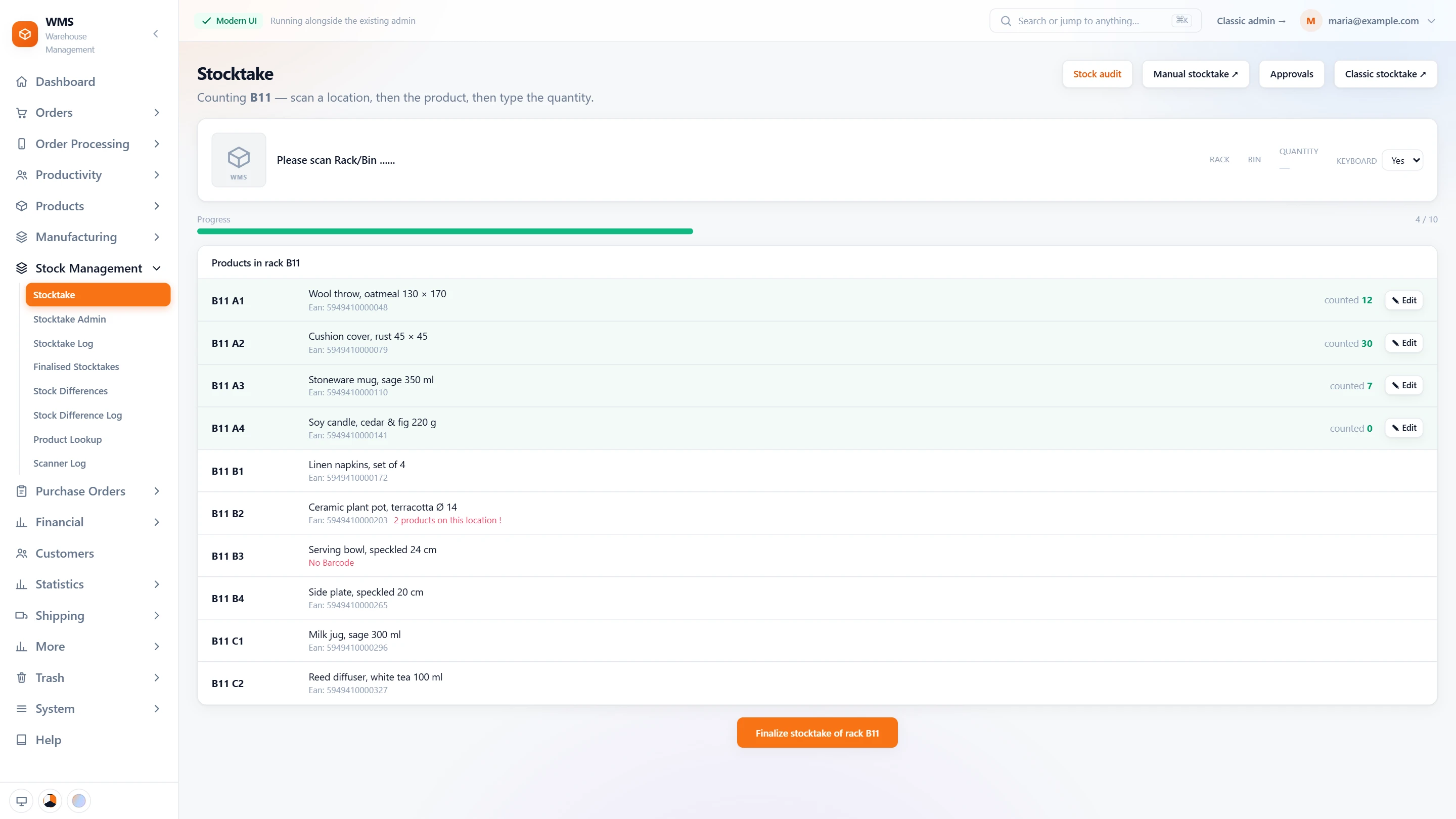
Counting a rack, without paper
Counting on paper means writing, carrying and retyping, with mistakes at every step. On the scanner each count is recorded in its place, and wrong places or products are stopped as they happen.
- Scan, scan, typeScan the location, scan the product, type the quantity. Nothing to write down or type in later.
- Every bin listedEach bin of the rack with its product and barcode, and what has been counted, so no bin is skipped.
- Surprises flaggedA product without a barcode, or two products in one bin, is marked on the list, so it can be sorted out.
- Wrong place, wrong productA bin that is not in this rack, or a product not in that bin, is refused, before it spoils the count.
- Fix a countCounted wrong? Edit a quantity already counted before finishing.
- FinalizeFinish the rack, and its counted lines go to approval, with no sheets to hand in.
Approve and explain
A stock figure that changes without a reason is hard to trust. Differences wait for a check, and every count and movement stays on record, so you can always say why the stock is what it is.
- Approval firstA miscount does not change your stock on its own: counted lines wait for approval before they change stock, unless the automatic stock handler is switched on.
- Differences on recordEvery stock difference and its history are kept in their own lists, so nothing is lost when someone asks later.
- The stock auditPick a product and two counts: see how its stock moved in between, and what the movements cannot explain, so you know where to look.
- LogsA log of every stocktake scan, and the finished stocktakes kept as they were, ready for any question.
- Expected stock shown or hiddenShow the expected quantity to the counter, or count blind, so the count is not just copied from the screen.
- Count without scanning the productWhen switched on, the quantity is typed right after the location, one scan less per bin.
What you gain
Count while you keep shipping
No day with the warehouse closed: rack by rack, you choose how much to count and when.
Differences explained
Nobody is left wondering why the stock was wrong: every count, approval and stock change is logged, with who did it.
Shops that show the truth
Disagreements between Pulsa and a channel are found and counted, not left to sell stock you do not have.
Questions
When does the stock figure change?
You choose for your warehouse: as each counted quantity is saved, for speed, or only when the office approves the count, for a second look.
Do we have to stop shipping during a stocktake?
No. You count one rack, or one list of products, at a time, while orders keep going out.
What happens to a large difference?
It is not booked unseen: it waits in the approval list with who counted it and where. Large differences are usually a mis-scan or a delivery not yet put away, so it is worth a look before approving.
Is every count kept?
Yes, so you can always look back. Finished stocktakes, the stocktake log, the stock difference log and the scanner log keep the history.
Related features
All featuresSee it with your own orders.
In the demo we connect your channels and walk you through this part of Pulsa on the real screens.